Solve an SBC Multiple Times (Repeatable SBC Grinding)
Updated FUTGenie
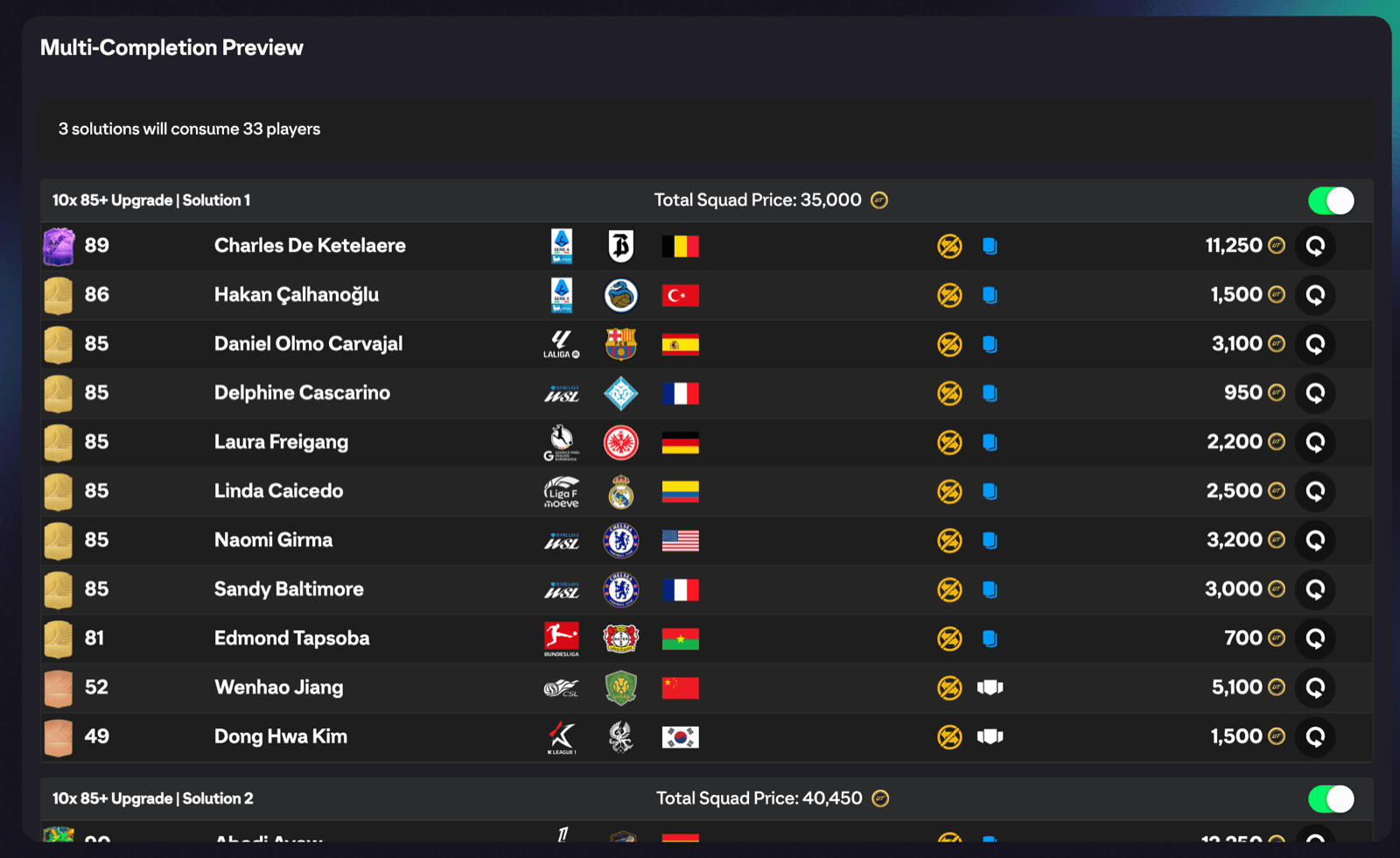
Solve Multiple Times turns a single Auto Complete run into a batch. FUTGenie finds several distinct solutions to the same repeatable EA FC 27 challenge, shows them all in one preview, and submits the ones you pick.
Where to find it
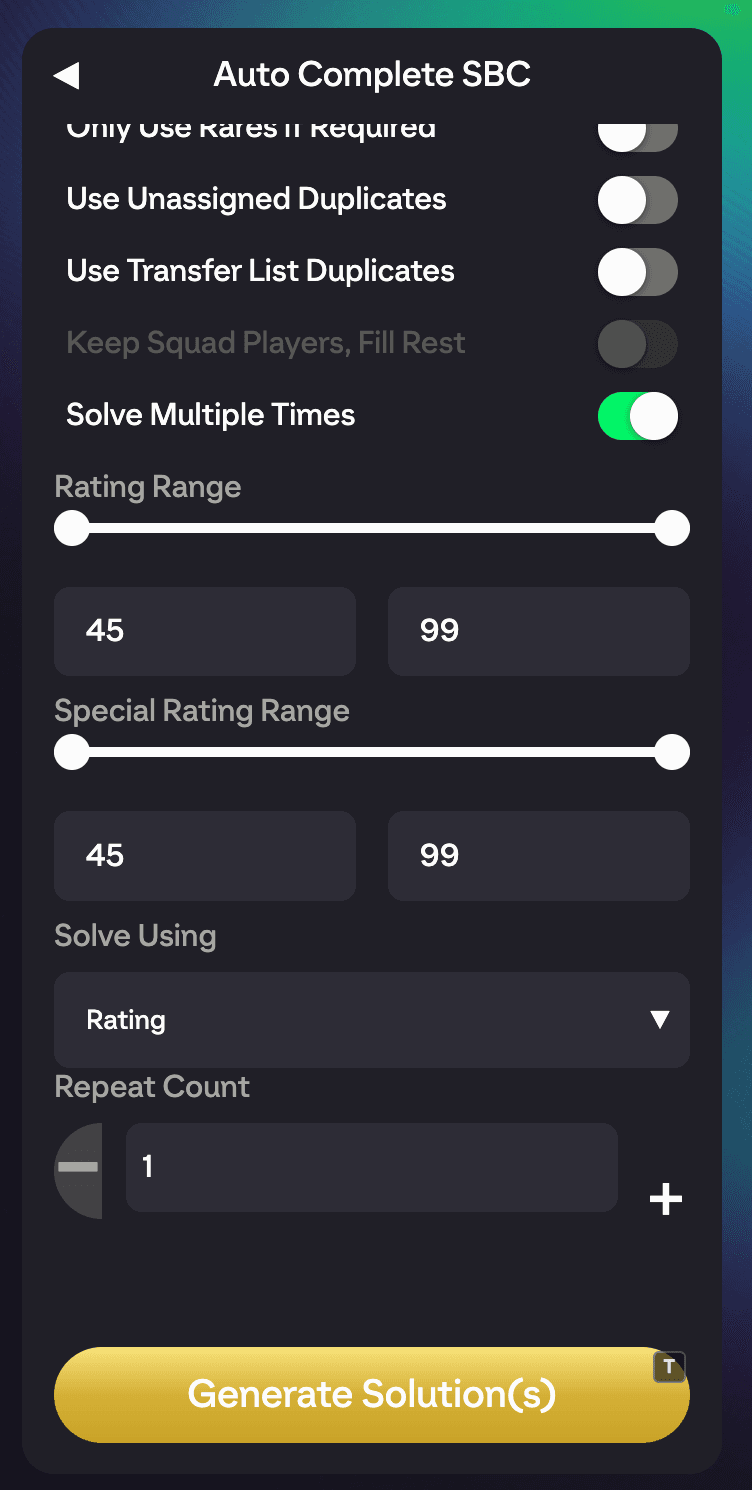
Open a repeatable SBC challenge, tap Auto Complete, and switch on the Solve Multiple Times toggle in the Options list. A Repeat Count spinner appears.
Step by step
- Enable Solve Multiple Times.
- Set Repeat Count (1 to 50) to however many completions you want.
- Optionally enable Use Concept Players if you're happy to buy players from the market.
- Tap Generate Solution(s).
- The Multi-Completion Preview opens, listing every solution found.
- Tick the solutions you want and tap Apply. The button shows how many are selected out of the total.
Every repeat consumes one of your free daily SBC solves, so 10 repeats costs 10 solves. The FUTGenie hub shows your remaining count.
The Multi-Completion Preview
Each solution gets its own header and checkbox, and a summary line tells you how many solutions will consume how many players in total.
- Swap player: re-solves a single slot if you'd rather keep that player. You'll see Swapped player on success, No alternative found if there's no replacement, or Swap failed if something went wrong.
- Concept tags (blue) mark players you don't own yet. A tooltip flags players that are duplicates in your unassigned pile or transfer list.
- Buy All: buys every concept player across the previewed solutions from the transfer market. Bought players switch to a green Bought tag. See Buy cheapest (concept) for how the buying works.
- Auto Submit: ON by default. When OFF, each squad is saved into the SBC without submitting so you can review before pressing Submit yourself.
- Apply: submits (or saves) the selected solutions one by one.
Partial results and skips
The solver won't always return the full count you asked for:
- Found X of Y solutions means it ran out of viable squads, either because the server time limit was hit or because no more solutions exist with your options.
- If you selected solutions containing concept players you haven't bought yet, those completions are skipped with a message telling you to buy the concept players first.
- If every concept player in the preview is already in your club, FUTGenie tells you so and no buying is needed.
Good to know
- On the single-challenge panel, Use Concept Players and Solve Multiple Times work together only through the Buy All flow in the preview. If you want to auto-complete a whole repeatable set with concepts, Auto Complete Set supports both at once.
- Submitting many completions quickly can trip EA's rate limits. FUTGenie retries and warns about possible softbans, and the softban tracker on the SBC hub shows how close you are to the community-reported limits (see SBC hub tools).