Auto Complete a Whole SBC Set in EA FC 27
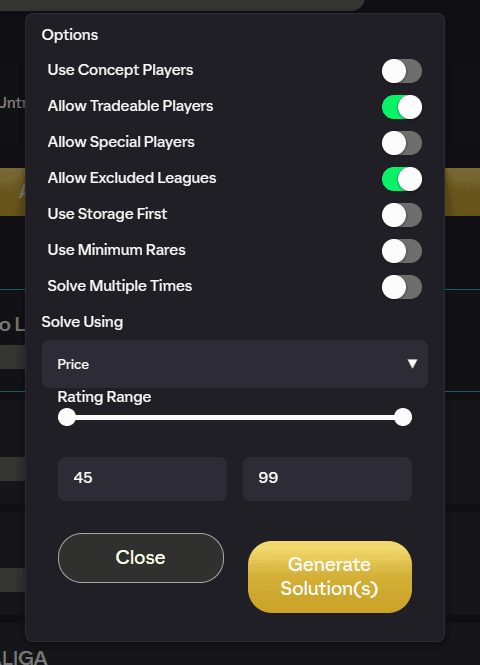
Auto Complete set solves every challenge in an SBC set at once, previews all the squads together, and submits them one by one. It's the fastest way to knock out a full set in the EA FC 27 web app.
Where to find it
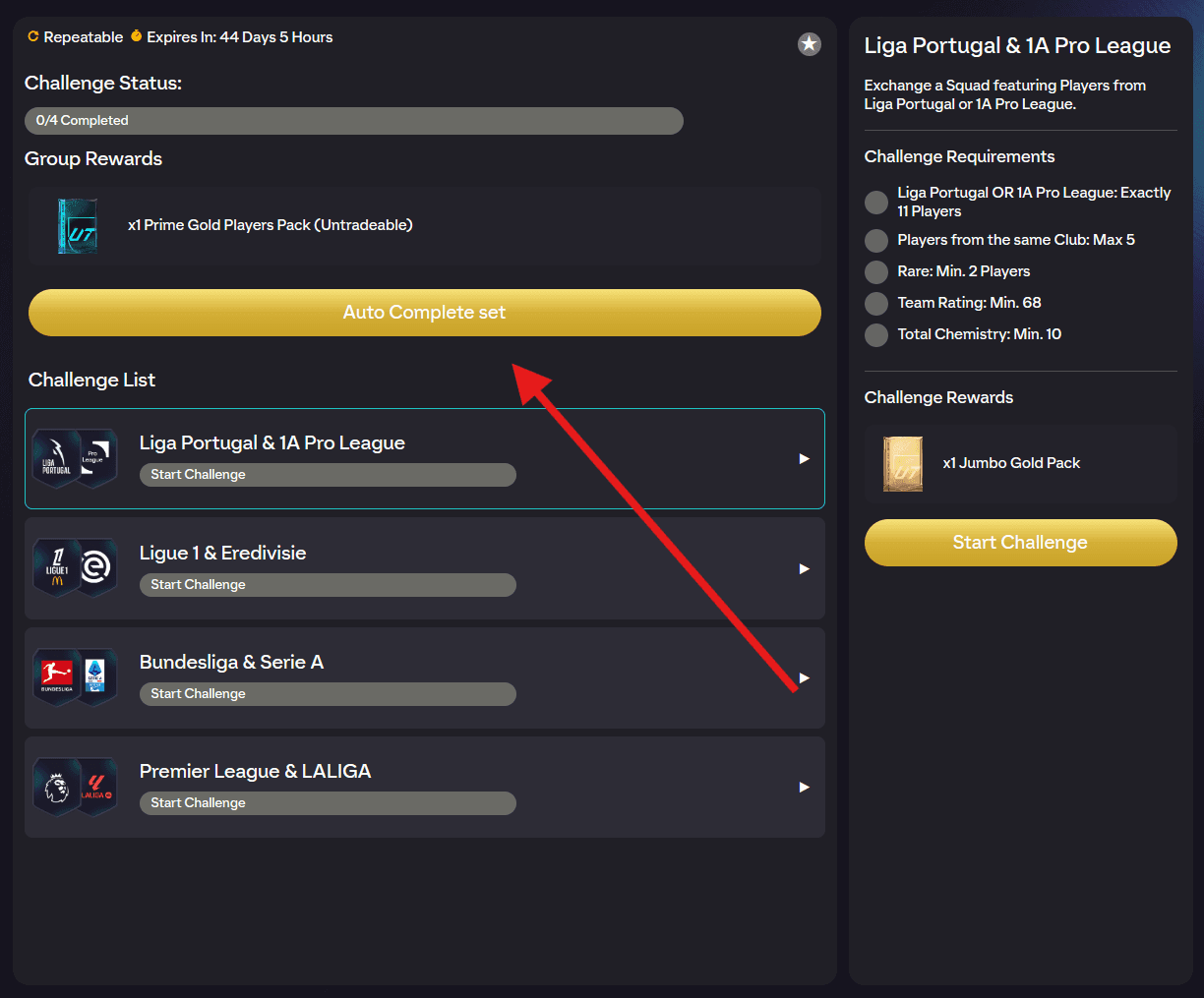
Open an SBC set so you're on the challenge-list screen (before you enter an individual challenge). The Auto Complete set button sits on this screen.
Step by step
- Tap Auto Complete set to open the options popup.
- Set your toggles, rating ranges, and Solve Using choice.
- Run it. FUTGenie loads the challenges and solves each one in turn, showing Solving progress per challenge.
- Review the preview, tick the squads you want, then press the apply button. It counts your selection as you go, so it reads Apply (3/5) when you have three of five squads ticked.
- FUTGenie submits each challenge in sequence, showing which one it's on, and finishes with a summary of how many completed (and how many failed, if any).
Each challenge solved consumes one of your free daily SBC solves.
Options explained
The popup has the same toggle group as the single-challenge panel: Use Concept Players, Allow Tradeable Players, Allow Special Players, Allow Excluded Leagues, Use Storage First, Use Minimum Rares, Use Unassigned Duplicates, Use Transfer List Duplicates, and Solve Multiple Times. See the Auto Complete guide for what each one does.
On top of those:
- Solve Using: Price (cheapest squads) or Rating (spends your lowest-rated eligible fodder).
- Rating Range and Special Rating Range: double sliders (45 to 99) limiting which ratings the solver may use. These are remembered per set.
- Repeat Count: only appears when Solve Multiple Times is on and the set is repeatable with 1 to 4 challenges. For sets with limited repeats the maximum is however many repeats you have left; otherwise it goes up to 50.
Unlike the single-challenge flow, concept players can be combined with Solve Multiple Times here, so you can buy-and-repeat a whole set. See Solve Multiple Times for how the multi-completion preview works.
The preview and apply flow
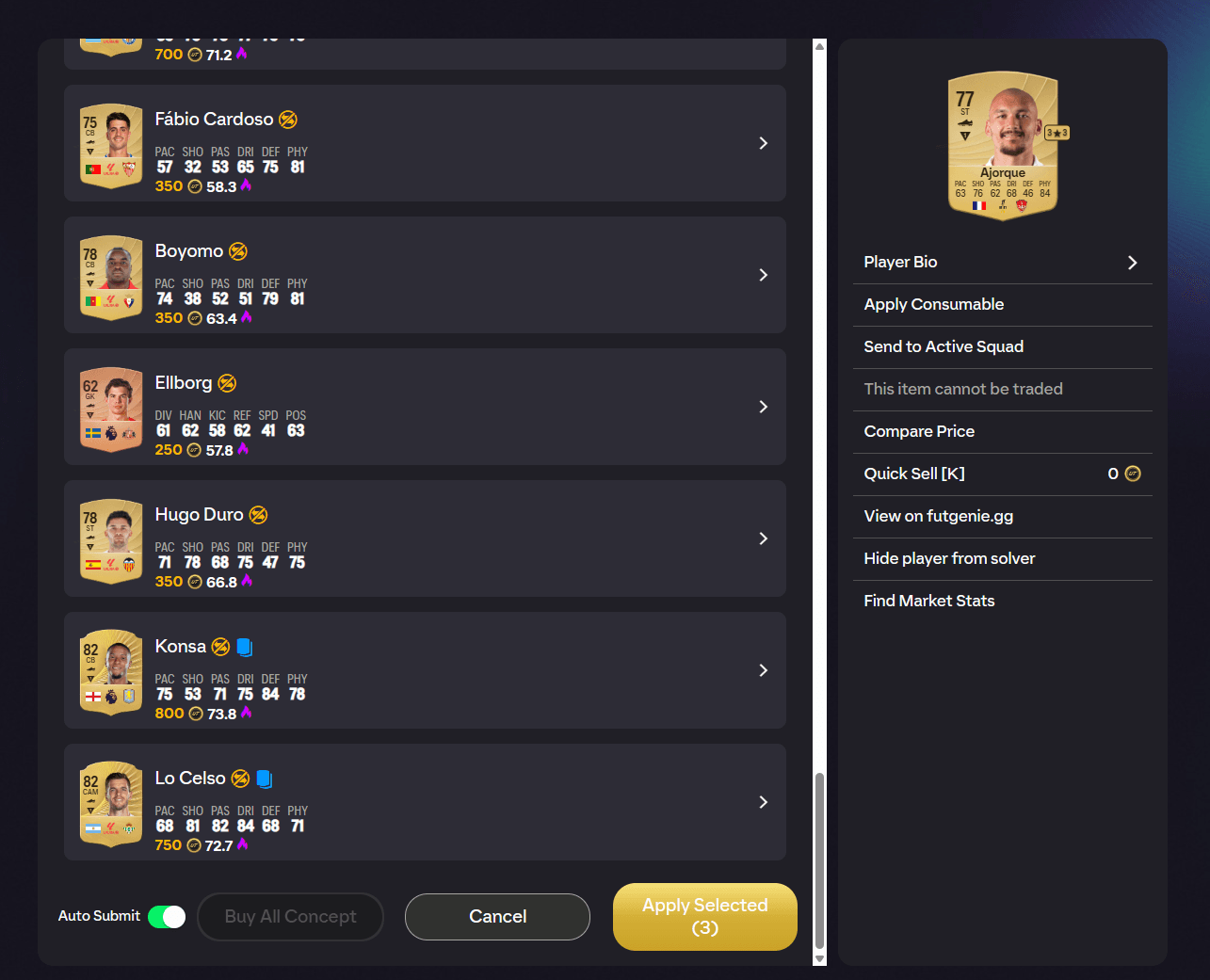
The preview lists one squad per challenge (or per repeat), each with a checkbox, a squad price readout, and per-slot Swap player buttons. Concept players are tagged Concept and can be bought with Buy All Concept.
- Auto Submit is ON by default. Turn it OFF to have squads saved into their challenges without submitting, so you can review each one in game first.
- When you apply, FUTGenie submits each challenge in turn and reports progress. If a submission fails, it stops rather than ploughing on, and tells you how many completions were not attempted.
- Challenges that are already completed are skipped with a message, and if the whole set is done you'll be told so.
Good to know
- EA rate-limits rapid submissions. If FUTGenie detects a possible softban it retries carefully and stops with a warning if EA keeps refusing. The softban tracker on the SBC hub helps you pace yourself (see SBC hub tools).
- Rating ranges are remembered per set, so each set keeps its own setup.