FUT Gallery in FC 27: Track Every Set and Buy What You're Missing
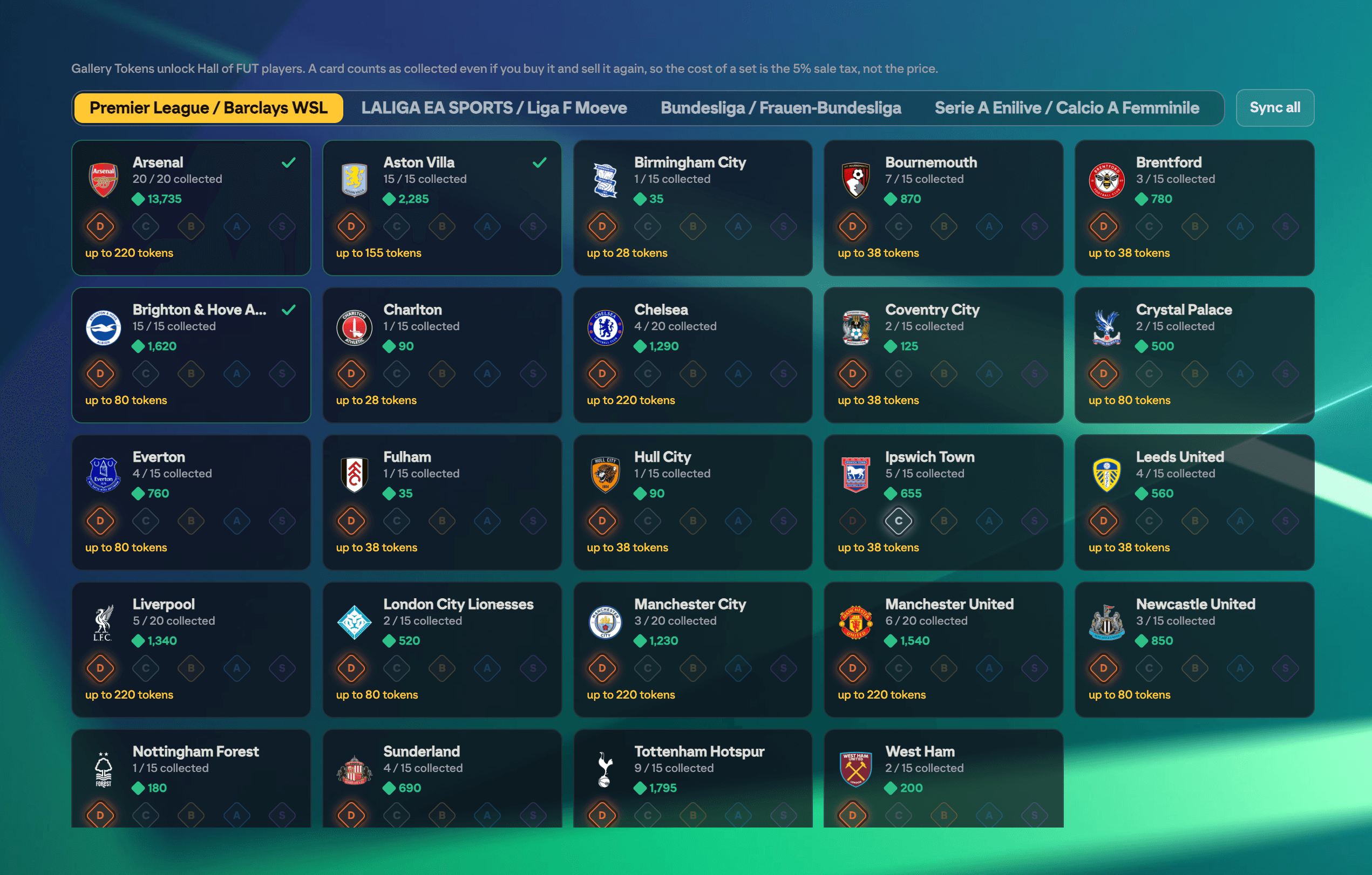
EA's FUT Gallery pays out Gallery Tokens for filling sets of players, and the tokens unlock Hall of FUT cards. The catch is that the Gallery does not exist in the web app at all, so there is no way to plan it from the place you actually do your trading.
FUTGenie adds it. You get every set, the players in it, which of them you have already collected, the grade each set is sitting at, and a way to buy what you are missing.
A card counts once you have owned it
This is the part that makes the whole feature worth using. A card counts as collected from the moment it lands in your club, and it stays collected after you sell it again.
So the real cost of a set is not the price of the cards. It is the 5% EA takes when you sell them back. Buy a 1,000 coin card, register it, sell it for 1,000, and the set has cost you 50 coins.
Opening the Gallery
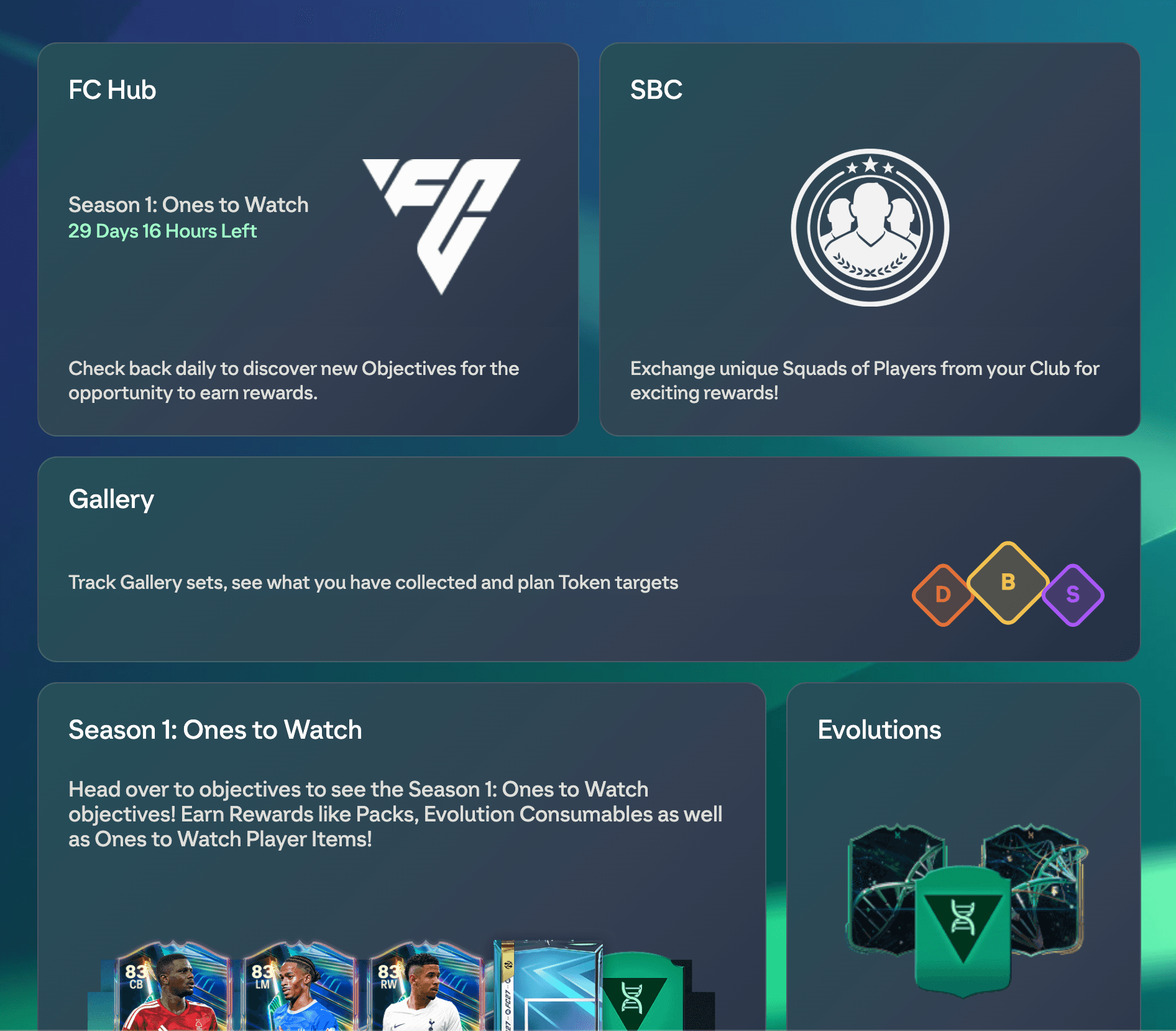
The Gallery tile sits on your Home hub, next to FC Hub and SBC.
The set grid
Sets are grouped the way EA groups them: by league pair (Premier League / Barclays WSL, LALIGA EA SPORTS / Liga F Moeve, and so on), plus Leagues for the league-wide sets and Rarities for Heroes, TOTW, Squad Foundations, Holographics and the Starter Set.
Each tile tells you four things:
- How many slots the set has, or how many you have filled once FUTGenie has looked at it.
- The score those collected cards are worth.
- The grade the set currently sits at, lit up in the D-C-B-A-S ladder. The other grades fade back, so a glance across the grid finds the sets you have made progress in.
- Up to how many tokens the set pays in total.
A set with every slot filled gets a tick and a green border.
Sync all
Opening 126 sets by hand is nobody's idea of an evening. Sync all walks them for you and fills in the grid.
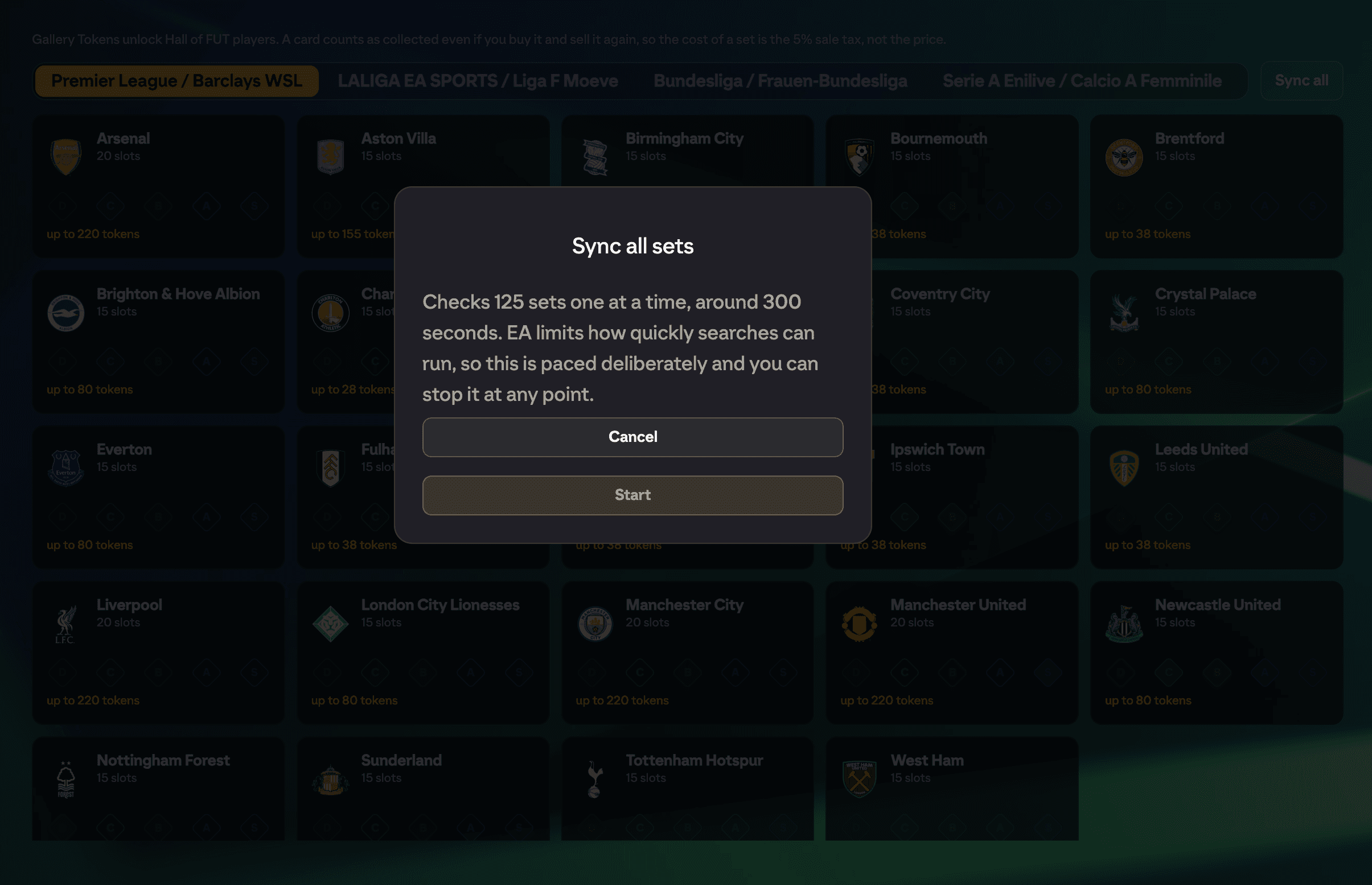
It is deliberately unhurried. Each set is checked on its own with a pause in between, the same way the mass bid tools work, which is why a full run takes a few minutes rather than seconds. The dialog tells you how many sets it will check and roughly how long before you start, and you can stop at any point without losing what it has already done.
Run it again later and it skips anything checked in the last six hours, so a second run costs almost nothing.
Inside a set
Tap a set to see its players.
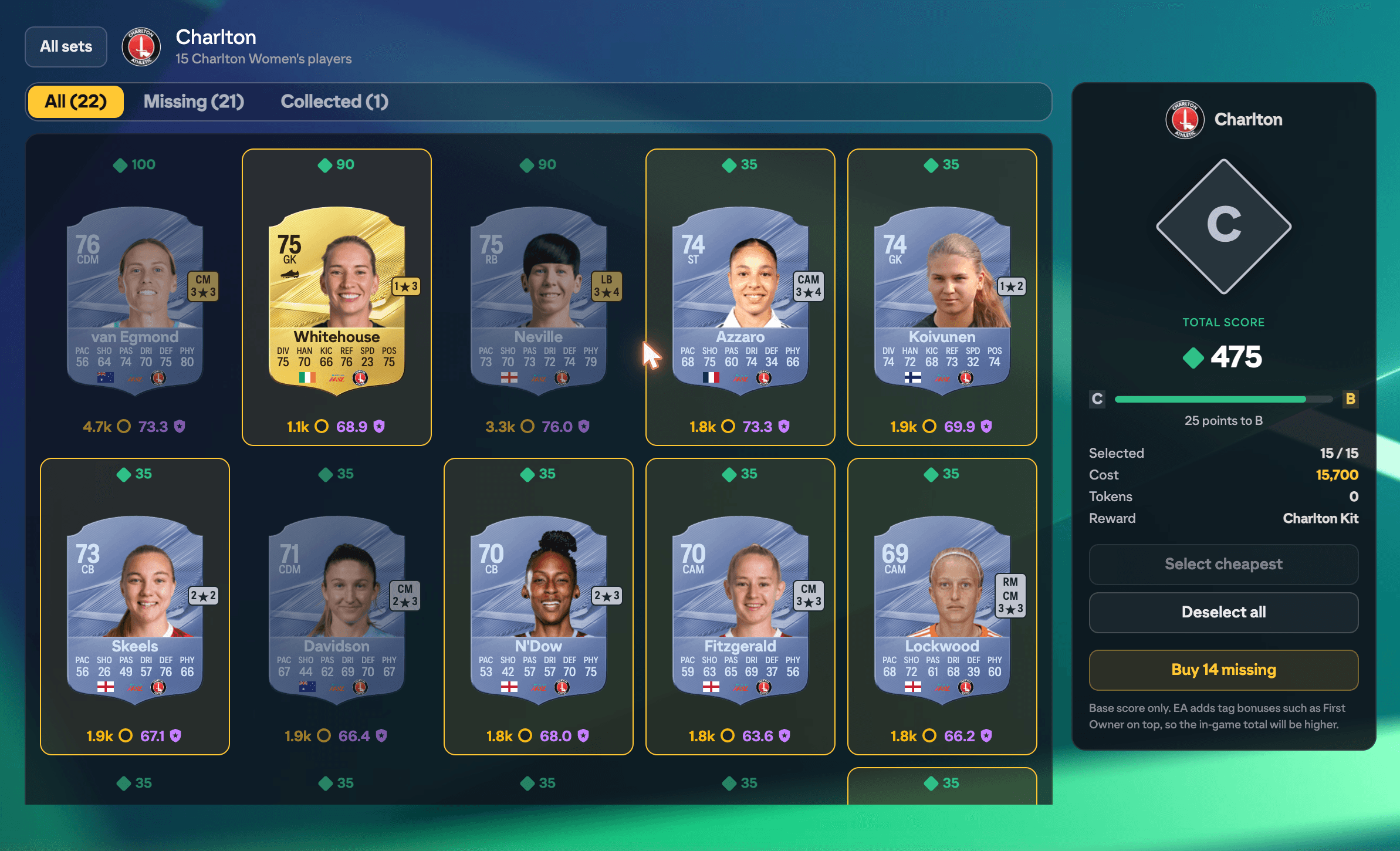
Cards you have collected show as normal cards. Cards you have not show as concepts and are dimmed, so the ones you still need are obvious. Above each card is its Item Score, which is what the card contributes to the set. Below it is the price and the FUTGenie grade, the same numbers you see everywhere else in the extension.
Use the All / Missing / Collected filters to narrow it down.
The panel on the right is the set's summary:
- the grade it is at, as a diamond
- the total score behind it
- a progress bar to the next grade, with how many points that needs
- how many slots you have used, what the plan costs, and what the grade pays
The set opens on what you already own, which is the honest starting position. Tapping cards adds or removes them so you can model a set before spending anything, and collected cards can be deselected too if you want to build one from scratch.
You cannot select more cards than the set holds. A set of 20 counts its best 20 and no more, so the panel refuses the twenty-first rather than quietly discounting it.
Select cheapest
This is the button most people will use. Select cheapest fills the empty slots with the cheapest cards on the market.
Collected cards take their slots first, because they cost nothing and already count. What is left is filled with the cheapest cards anyone can actually buy. A card with no price is never treated as free: no price means either nobody is listing one, or it comes from an SBC, objective or season pass and cannot be bought at all, so those are skipped rather than sorted to the front at zero coins.
The Cost row then tells you what the plan on screen actually costs.
Buying what you are missing
Buy N missing hands the plan to the same buy-all engine the squad builder uses: it owns the price cap, the budget, EA's rate limits and the move to your club.
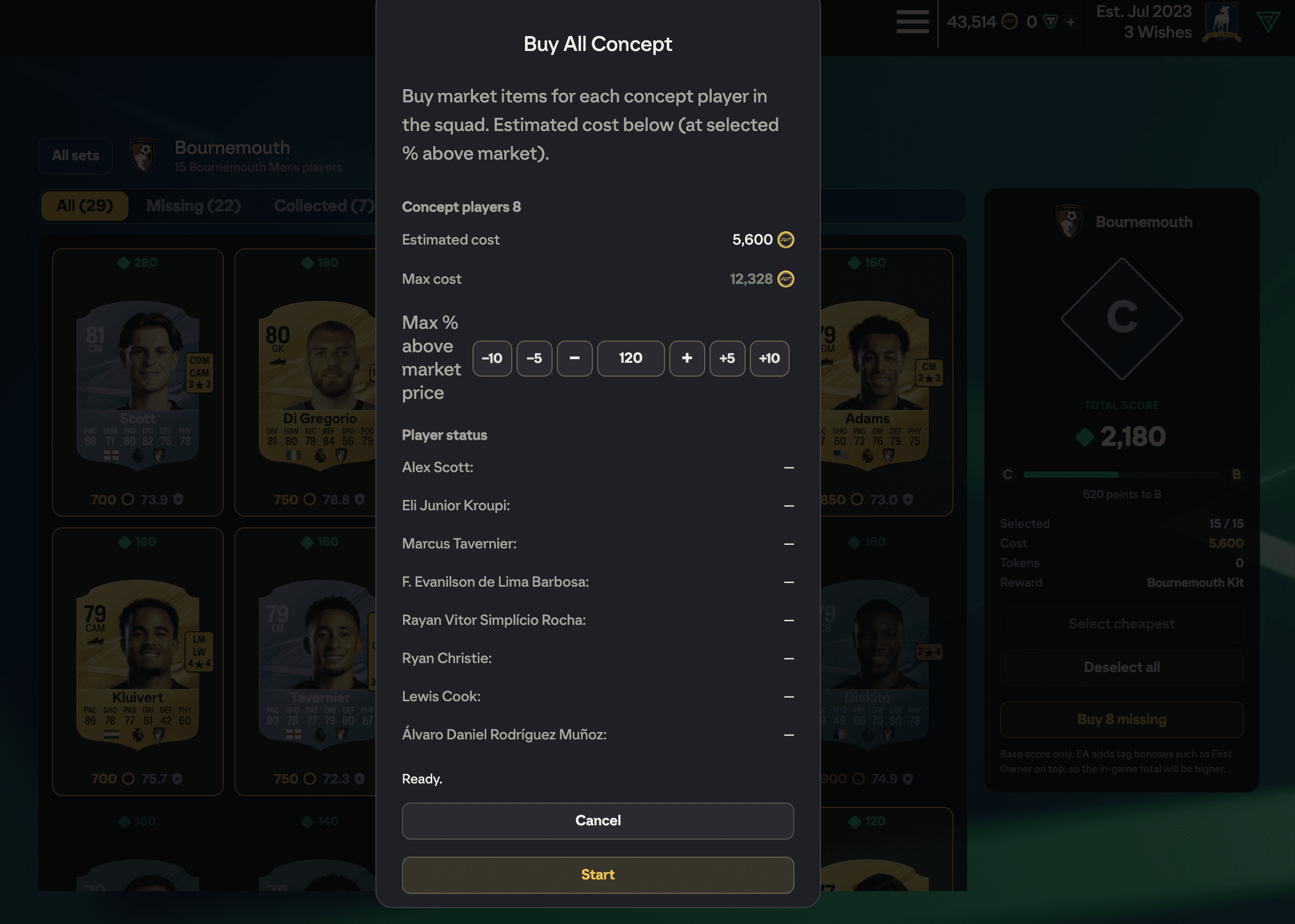
Set how far above market price you are willing to go, then start. Each player is named with its own status line so you can see exactly which card is stuck or unavailable. When it finishes, the cards it bought are marked collected straight away and the set updates.
Buying goes through the usual transfer market confirmation first. A tap on a planning screen is never treated as consent to spend coins.
Spotting collected cards on the transfer market
You do not have to be in the Gallery to use any of this. Any transfer market row whose card is already in your Gallery carries a small COLLECTED tick.
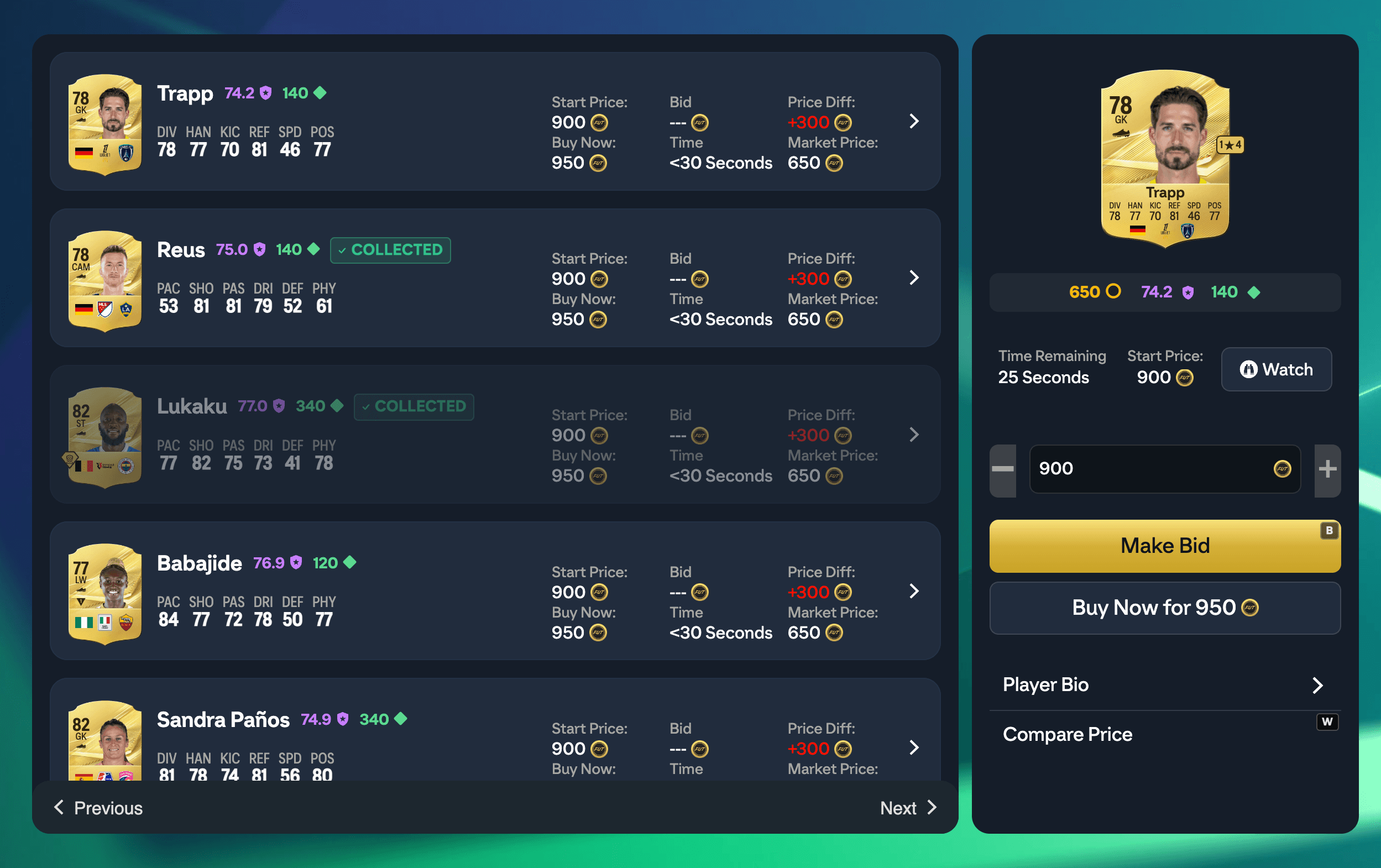
Most listings are cards you have never had, so the tick marks the exception: the row where buying adds nothing to a set you are working on.
Things worth knowing
- Scores are base scores. EA adds percentage bonuses on top, First Owner being the big one, so the in-game total will read higher than FUTGenie's. The number you see is the conservative one.
- Large sets are read in pages. A club's squad arrives in one go, but a league or rarity set runs to hundreds of cards and EA hands them over 91 at a time. FUTGenie reads up to ten pages, and a count taken from part of a pool is shown as "7+ / 30" rather than "7 / 30", because it can only be an understatement.
- Holographics are cosmetic cards rather than a rarity, and EA has no way to search for them, so that set is filled from FUTGenie's own graded card catalogue and loads in batches.