How to Auto Complete Streamlined SBCs in EA FC 27
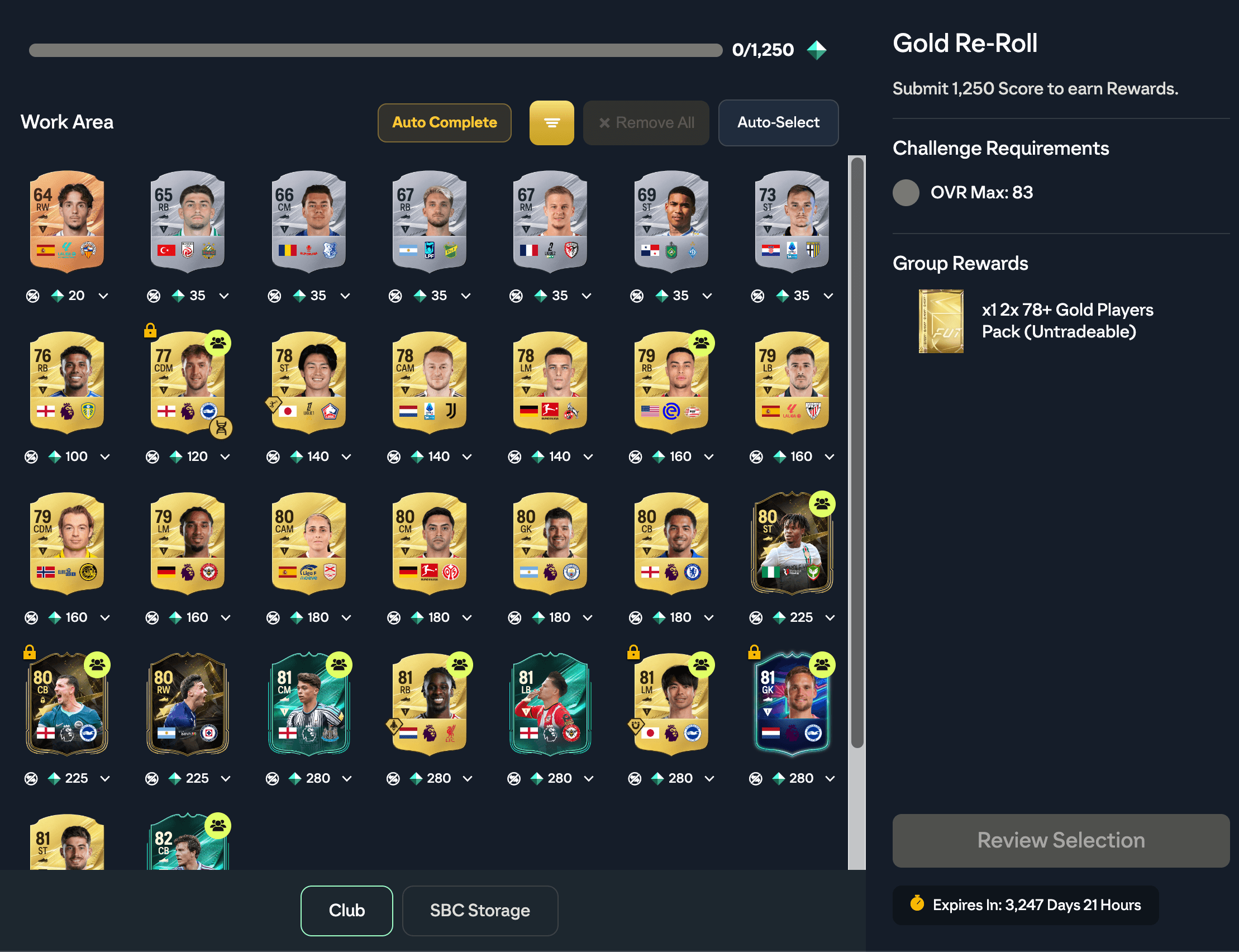
Streamlined SBCs are EA FC 27's new points-based challenges. Instead of building a squad, you hand in any cards that meet the requirement until their scores add up to the target, for example 1,250 points of cards rated 83 or lower.
EA's own Auto-Select simply takes cards in the order they are listed until the target is met, whatever they are worth. FUTGenie's Auto Complete picks the cheapest combination that reaches the target, with the same options you use for regular SBCs.
Where to find it
Open SBC and pick a Streamlined SBC. You can spot them by the points bar on the tile, such as 0/1,250. EA opens its Work Area, and FUTGenie's Auto Complete button sits in the toolbar next to EA's Auto-Select.
Players you have locked in FUTGenie show a gold lock on their card in the Work Area. Auto Complete never uses them, but EA's own Auto-Select and a manual pick still can, so the lock is there to warn you.
Options
Tap Auto Complete and a popup shows how far the challenge has got, for example 0 of 1,250 points submitted. 1,250 to go., then the options:
- Use Concept Players: allows cards you don't own. FUTGenie buys them before submitting.
- Allow Tradeable Players: when off, only untradeable cards are used.
- Allow Special Players: allows promo and TOTW cards. In a Streamlined SBC a TOTW is just a high-scoring card, so it follows this toggle like any other special.
- Ignore exclusions: when off, players from the leagues, nations and clubs you excluded in Settings are protected.
- Use Storage First: prefers cards in your SBC Storage.
- Solve Multiple Times and Repeat Count: for repeatable SBCs. See below.
- Rating Range and Special Rating Range: keep cards outside these ratings out of the solve.
- Solve Using: Price (the cheapest cards, the default) or Rating (spends your lowest-rated eligible fodder). It is the same setting as for regular SBCs.
- Preference: how the points are made up.
- Low to high: the cheapest mix, which usually means lots of low cards. The default.
- Mix of high and low: fewer cards when a bigger card costs only a little more.
- High to low (fewest cards): as few cards as possible, with cost only as the tiebreak.
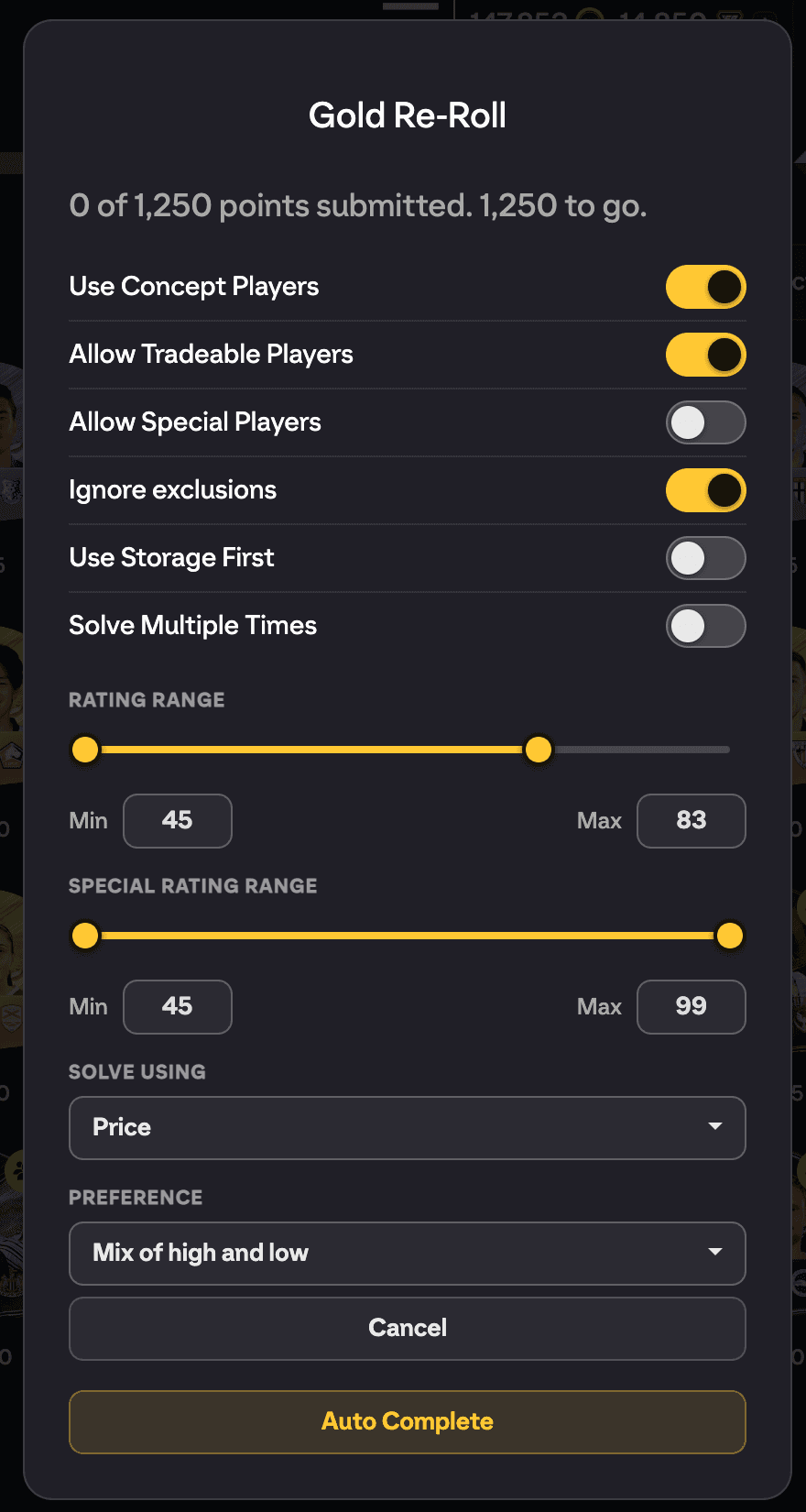
Your choices are saved and sync across your devices.
Solving and the preview
Tap Auto Complete in the popup. FUTGenie loads the cards EA says are eligible for this challenge (from your club and SBC Storage), leaves out any that are sitting in another SBC's saved squad, and solves on the FUTGenie server.
The results open in the same preview as Solve Multiple Times. Each solution shows its total points against the target, and every card shows its price and its points for this challenge.
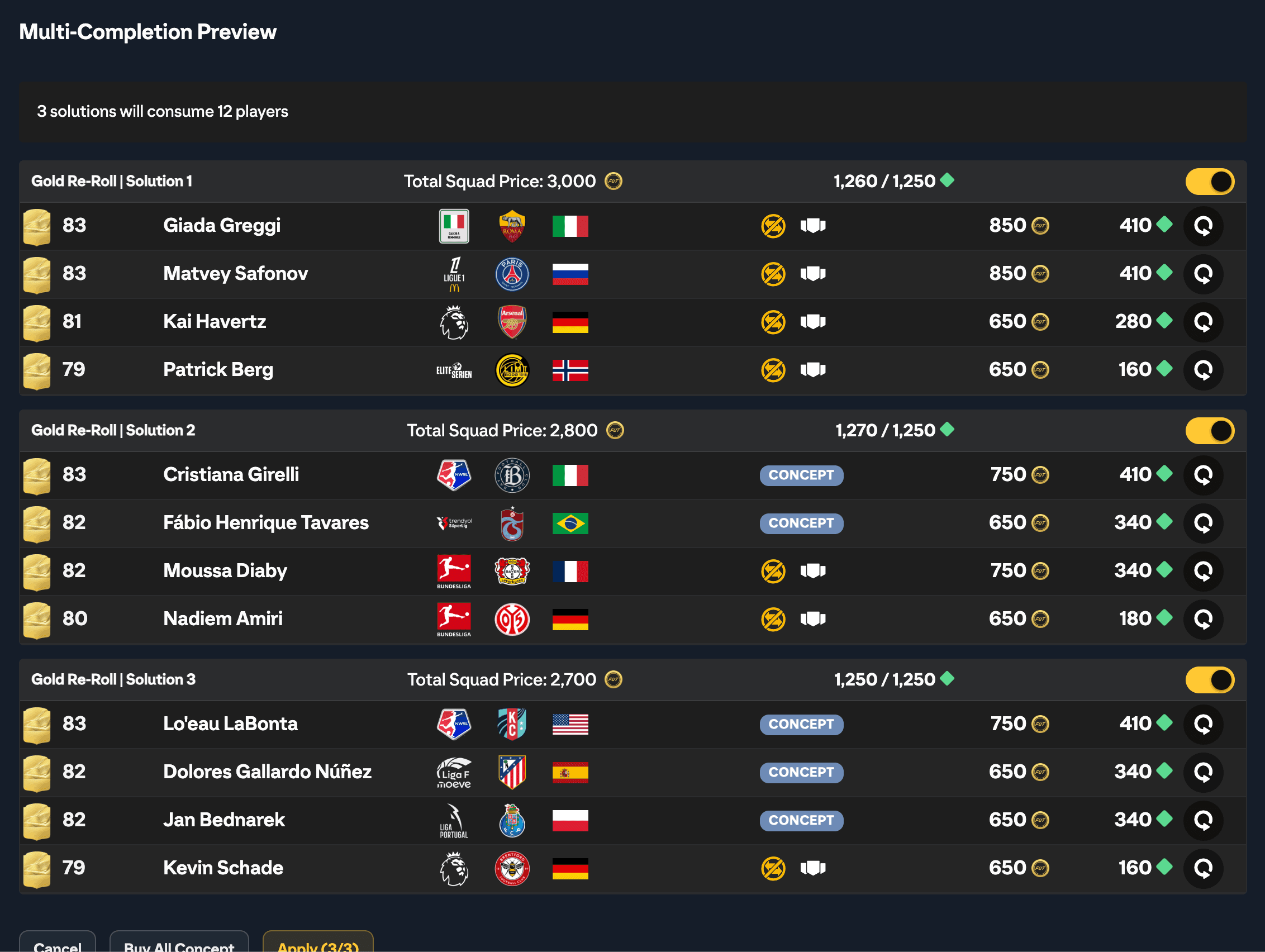
From there you can:
- Untick any solution you don't want to submit.
- Swap a card. FUTGenie keeps the rest of the solution and finds the cheapest replacement for the points it leaves missing. That can be one card or a couple, whichever costs less, and never a card already used elsewhere in the preview.
- Tap Buy All Concept to buy the concept players the solutions need. The cards are bought on the transfer market, within the price cap you set, and moved to your club.
- Tap Apply to submit.
Apply submits each solution through EA's own Streamlined SBC submission, so EA updates the progress bar, removes the cards and grants the rewards as usual. You land back in the Work Area, with EA's reward popup for the last completion.
Good to know
- Several copies of the same player can all be used, as long as they are yours, in your club or SBC Storage. A concept player is only ever bought once, because EA holds one copy of a card in your club. A card you already have in your club is never suggested as a concept.
- Each solution counts as one solve towards your daily limit, like any other SBC solve.
- FUTGenie paces submissions and retries when EA pushes back. If EA keeps refusing, you see Possible softban and the run stops so you can take a break.
- If FUTGenie finds fewer solutions than you asked for, the preview shows the ones it found and tells you how many.
In Autopilot
Pick a Streamlined SBC in an Autopilot Solve SBC step and it is solved the same way. The step's Solve settings show the Streamlined options, including Preference, instead of the squad ones. In a normal run every batch opens in the preview first. In unattended mode concept players are bought within the run's coin budget and the solutions are submitted without review.