Autopilot: Queue SBC Solves and Pack Opening
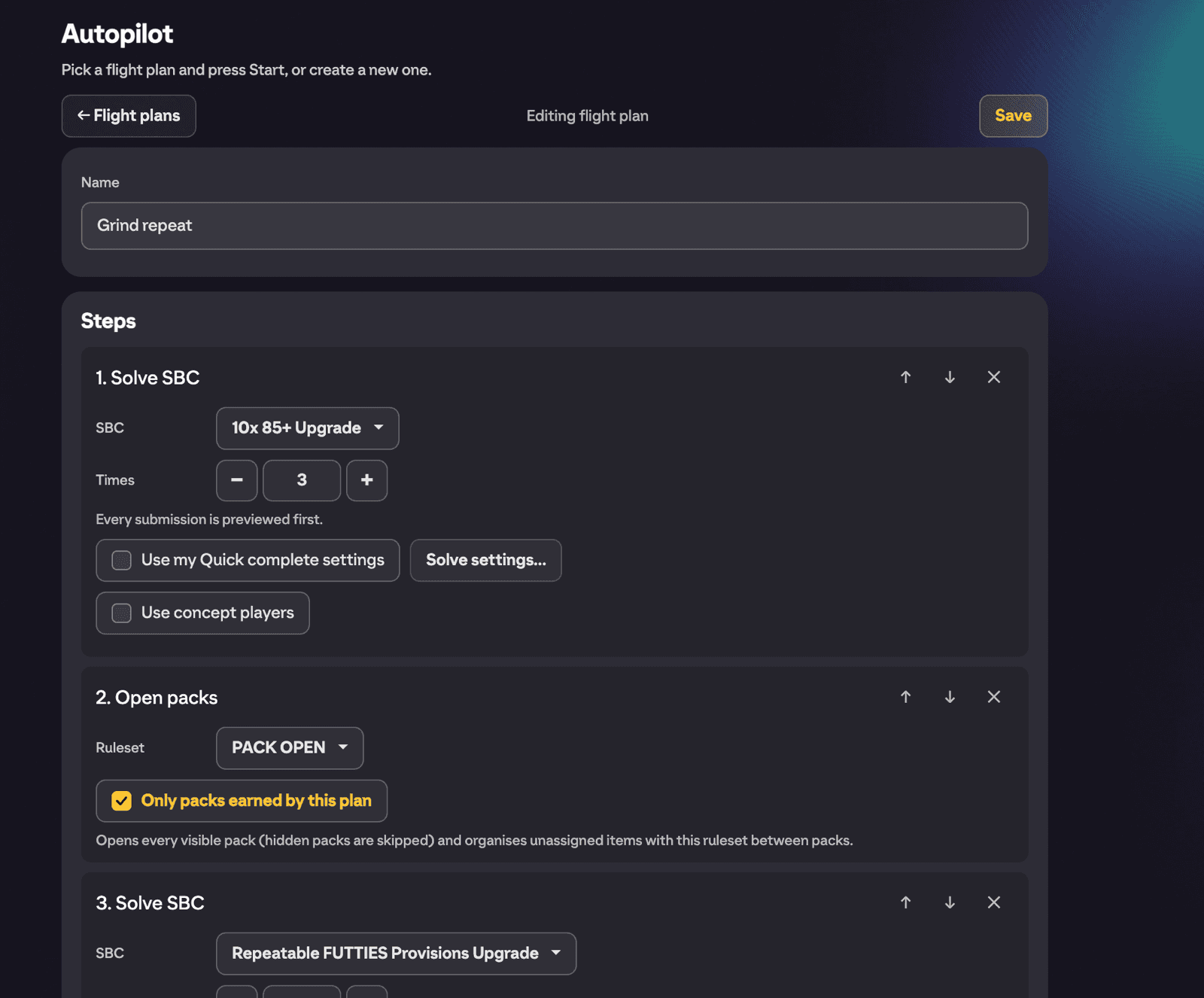
Autopilot lets you queue SBC solves, pack opening and timed waits into a flight plan, then run the whole sequence hands-off in the EA FC 27 web app. Solve a repeatable SBC ten times, open the packs it earns with your ruleset, wait a bit, repeat. You set it up once and let it fly.
Where to find it
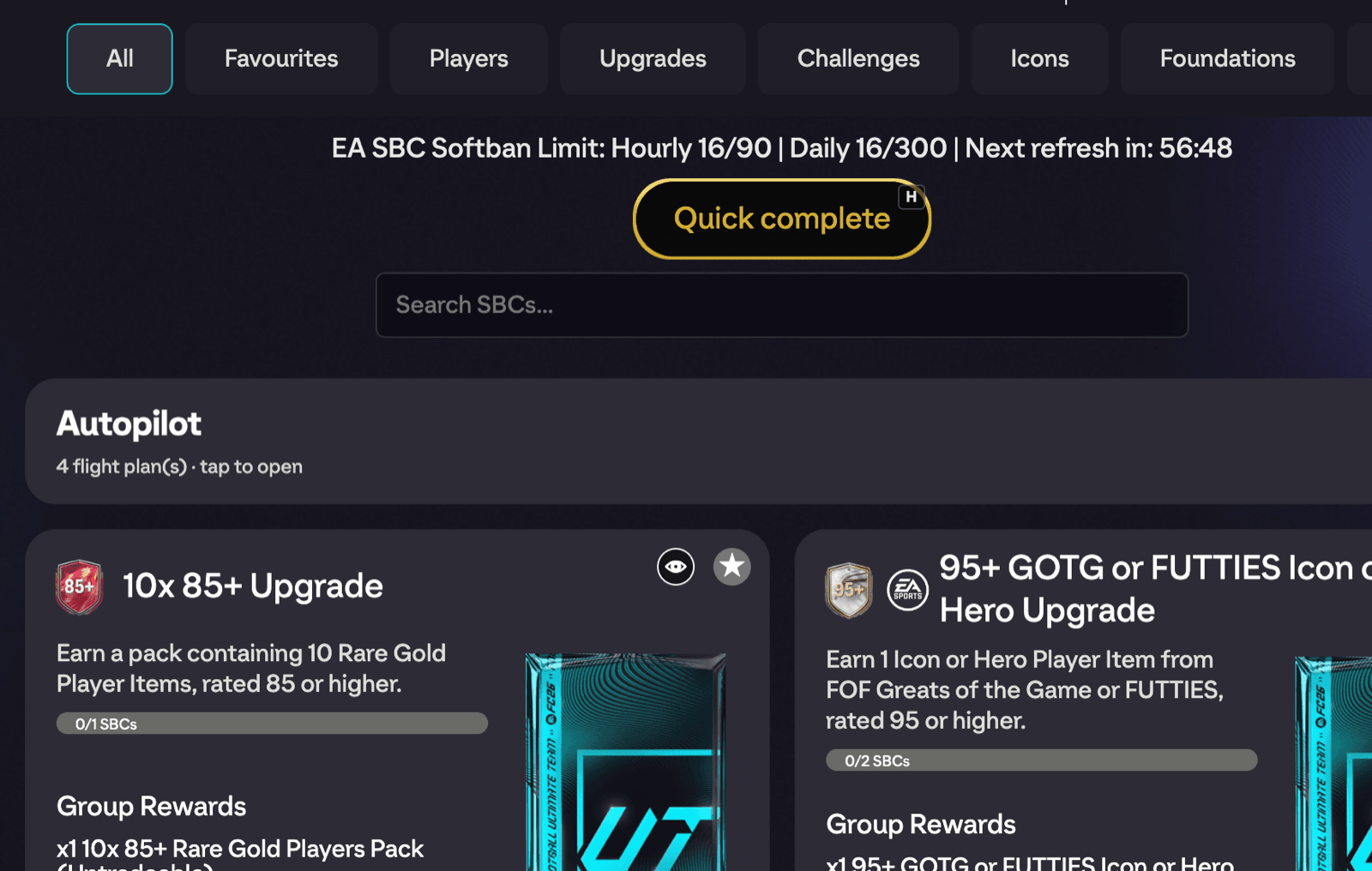
Open the SBC hub (the screen listing all SBC sets). The Autopilot tile is pinned as the first tile at the top of the grid. Tap it to open the Autopilot view, where your flight plans live. While a plan is running, the tile shows live status like the current cycle and step.
Creating a flight plan
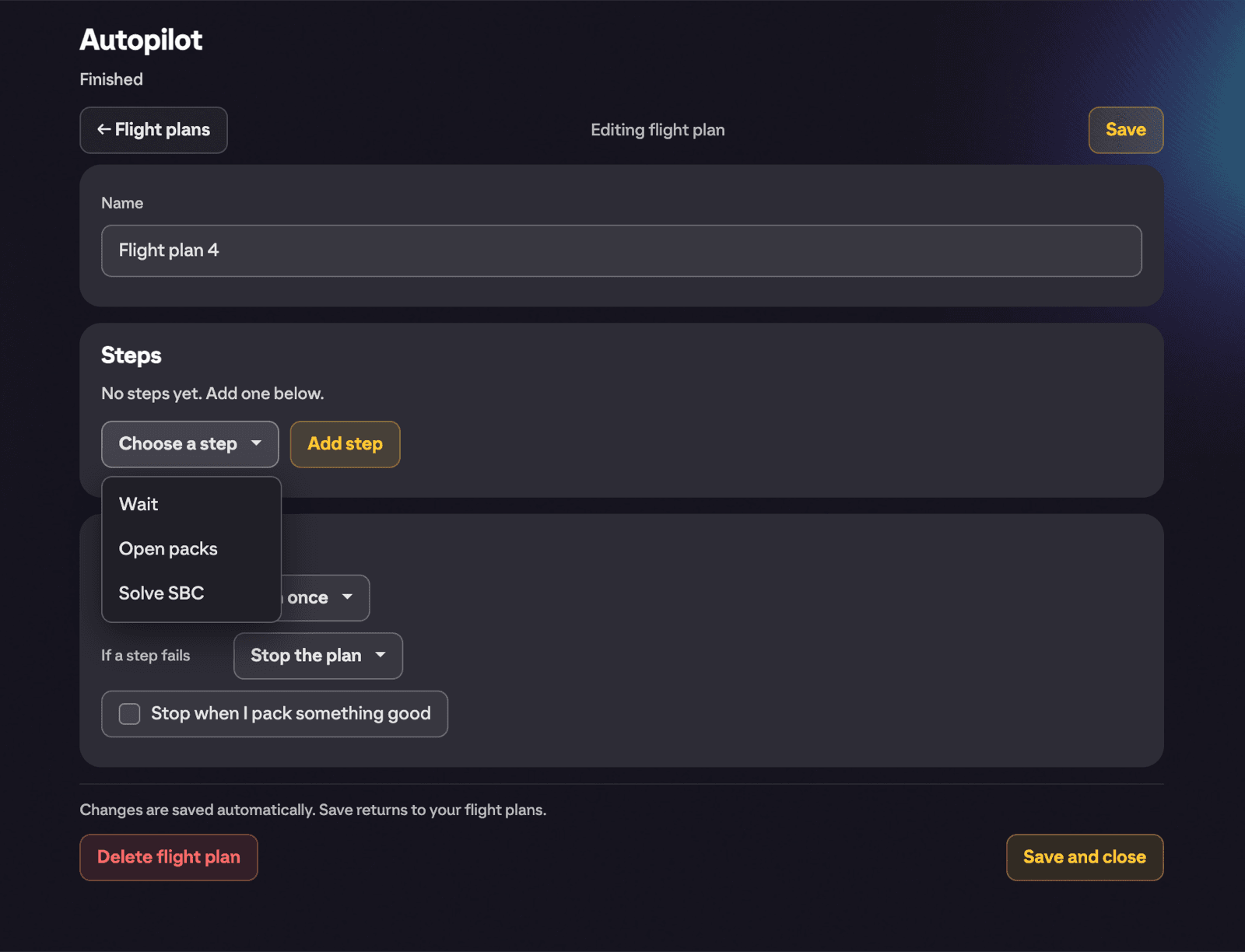
Tap the New flight plan card. Each plan gets a Name (you can keep the default or rename it) and a Steps panel. Use Add step to open the step picker and build your sequence. Changes are saved automatically; Save and close returns you to the flight plan list.
Each plan card in the list shows a summary of its steps and how it repeats, with three buttons: Start, Edit and Unattended. If a plan contains an SBC that has since expired, the card warns you to edit it and pick a replacement.
The three step types
Solve SBC
Solves an SBC, with every submission previewed first (in normal runs).
- SBC: a searchable dropdown grouped into Repeatable, Limited repeats, One-time and Full sets (full sets show how many challenges are done). Picking a full set solves the whole set.
- Times: how many times to solve it. The maximum follows the SBC: once for one-time challenges, the remaining repeats for limited ones, up to 50 for infinite repeatables.
- Use my Quick complete settings: on by default, the step solves with the preferences you set under Daily quick complete in Settings. Untick it and a Solve settings button appears, opening the familiar solve options bound to this step only.
- Use concept players: allows solutions with players you don't own, which Autopilot then buys.
A Streamlined (points-based) SBC works in a Solve SBC step too. Its Solve settings show the Streamlined options, including Preference, instead of the squad ones. See Auto Complete Streamlined SBCs.
Open packs
Opens every visible pack in your store (hidden packs are skipped) and organises unassigned items between packs.
- Ruleset: which Bulk Pack Opener ruleset decides where items go. It defaults to your active Auto Open ruleset. See Bulk pack auto open for building rulesets.
- Only packs earned by this plan: on by default for new steps. With it on, the step only opens packs the plan itself earned, leaving your saved pack stash alone. Turn it off to open everything.
Wait
Pauses the plan for a number of Seconds (1 to 3600, default 30). Useful for spacing out solves and pack opens so you're not hammering EA's servers.
Plan options
Below the steps, the Options panel controls how the whole plan behaves:
- Repeat: Run once, Run this many times (with a count up to 500), or Until stopped.
- If a step fails: Stop the plan or Skip and continue to the next step.
- Stop when I pack something good: tick this and Autopilot halts the moment you pull a big card. You set Rating at least (set it to 0 to ignore rating) and can tick Any special player (TOTW, promo, icon). It's checked after every single pack, and Autopilot stops before the player can be consumed as fodder by a later solve step.
Running a plan
Press Start on a plan card. Autopilot walks the steps in order, showing what it's doing as it goes: Preparing solve, Applying solutions, Opening packs, Waiting 30s, Buying 2 concept player(s) and so on. In a normal run every squad is shown to you in a preview before it's submitted, so you stay in control of each completion.
Autopilot also stops itself when it should:
- Daily free solve limit reached: free-tier users get a fatal halt when the quota runs out.
- Repeated errors: it won't keep retrying a step that keeps failing.
- EA rate limit (possible softban): if EA starts refusing requests, Autopilot stops and tells you to take a break before submitting more SBCs.
- You packed a good player: when your "stop when I pack something good" rule triggers.
Unattended mode
Unattended is a separate, deliberate way to run a plan with no previews at all. Treat it with respect.
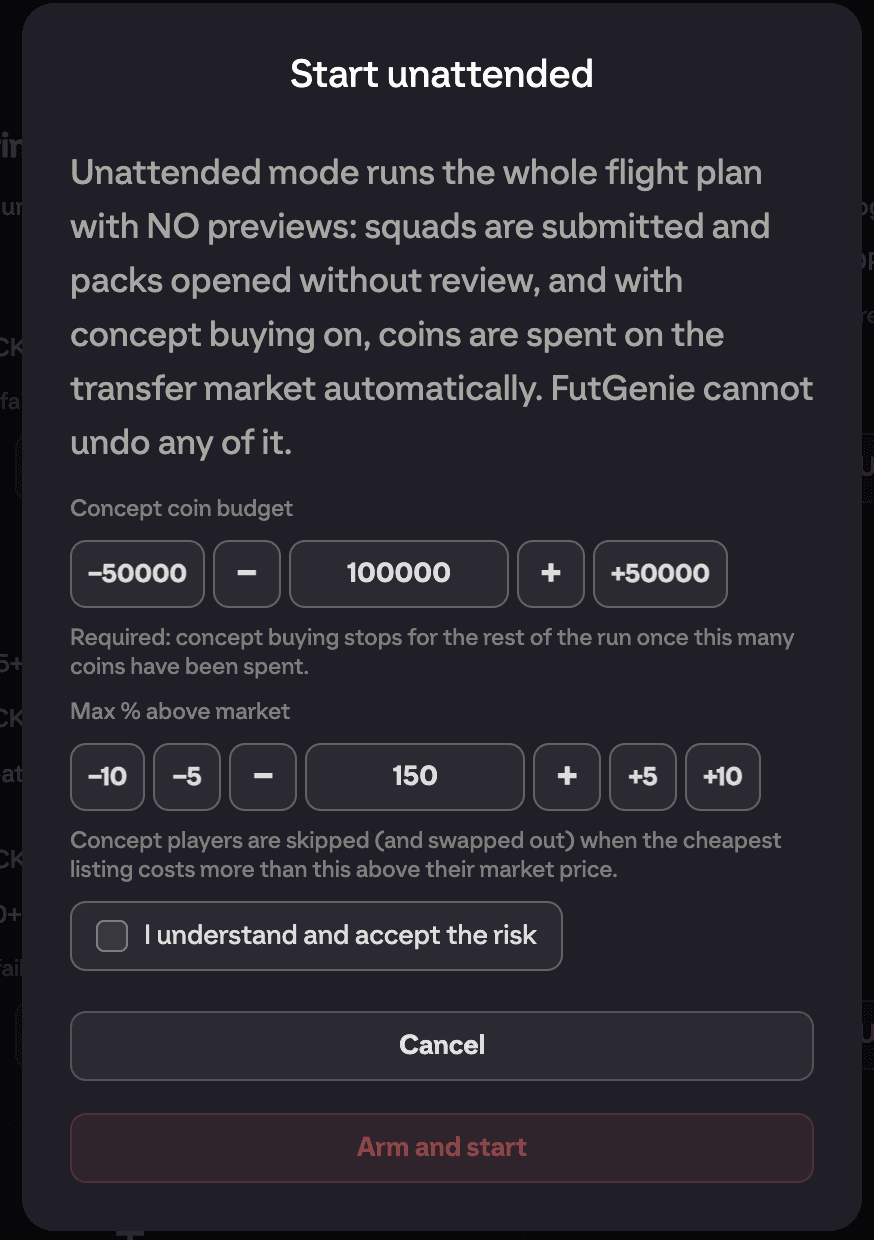
Pressing Unattended on a plan opens the Start unattended modal, which warns you plainly: "Unattended mode runs the whole flight plan with NO previews: squads are submitted and packs opened without review, and with concept buying on, coins are spent on the transfer market automatically. FUTGenie cannot undo any of it."
Before you can arm it you must set:
- Concept coin budget: required. Concept buying stops for the rest of the run once this many coins have been spent, so a runaway plan can never drain your balance past the cap you set.
- Max % above market: concept players are skipped (and swapped out of the solution) when the cheapest listing costs more than this above their market price.
- I understand and accept the risk: the checkbox that unlocks the button.
Then press Arm and start. While it runs, the status banner is prefixed UNATTENDED so there's no mistaking the mode.
Our advice: run every new flight plan in normal (previewed) mode a few times first. Only go unattended once you've watched the plan do exactly what you expect, and keep the coin budget conservative.
The run summary
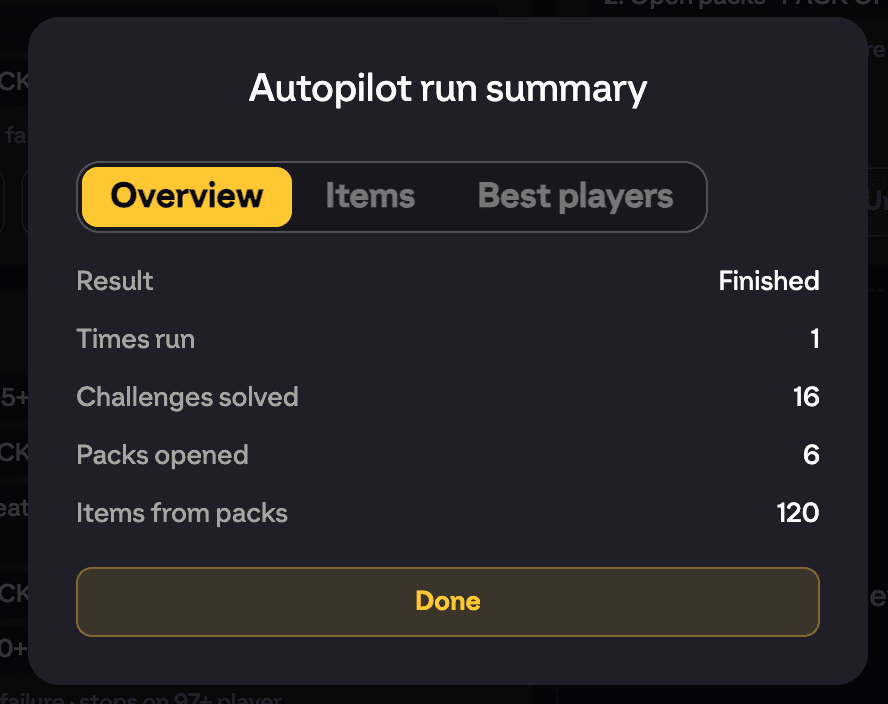
When a run finishes or stops, the Autopilot run summary shows what happened across three tabs:
- Overview: Cycles, Times run, Challenges solved, Set completions, Concept players bought, Coins spent on concepts, and the Result (finished, or stopped with the reason and which step it stopped on).
- Best players: the standout cards you pulled during the run.
- Items: where everything went, including Sent to club, Sent to transfer list, Sent to storage and Quick sold counts.
Free tier note
Every solve a flight plan performs consumes your daily free solve quota, exactly like a manual Auto Complete. When the quota runs out, Autopilot stops with a daily free solve limit reached message. Plans with lots of solve repeats are really a paid-tier feature in practice.