Buy Concept Players at the Cheapest Price in FC 27
For concept players (players in a squad that you don't actually own), Buy Cheapest searches the EA FC 27 transfer market and purchases the lowest-priced listing for that player. Buy All Concept does the same for every concept player in a squad at once.
Buy Cheapest (single player)
Tap a concept player to open its detail panel, then tap Buy Cheapest. FUTGenie searches the market for that player and, before anything is bought, shows you exactly what it found.
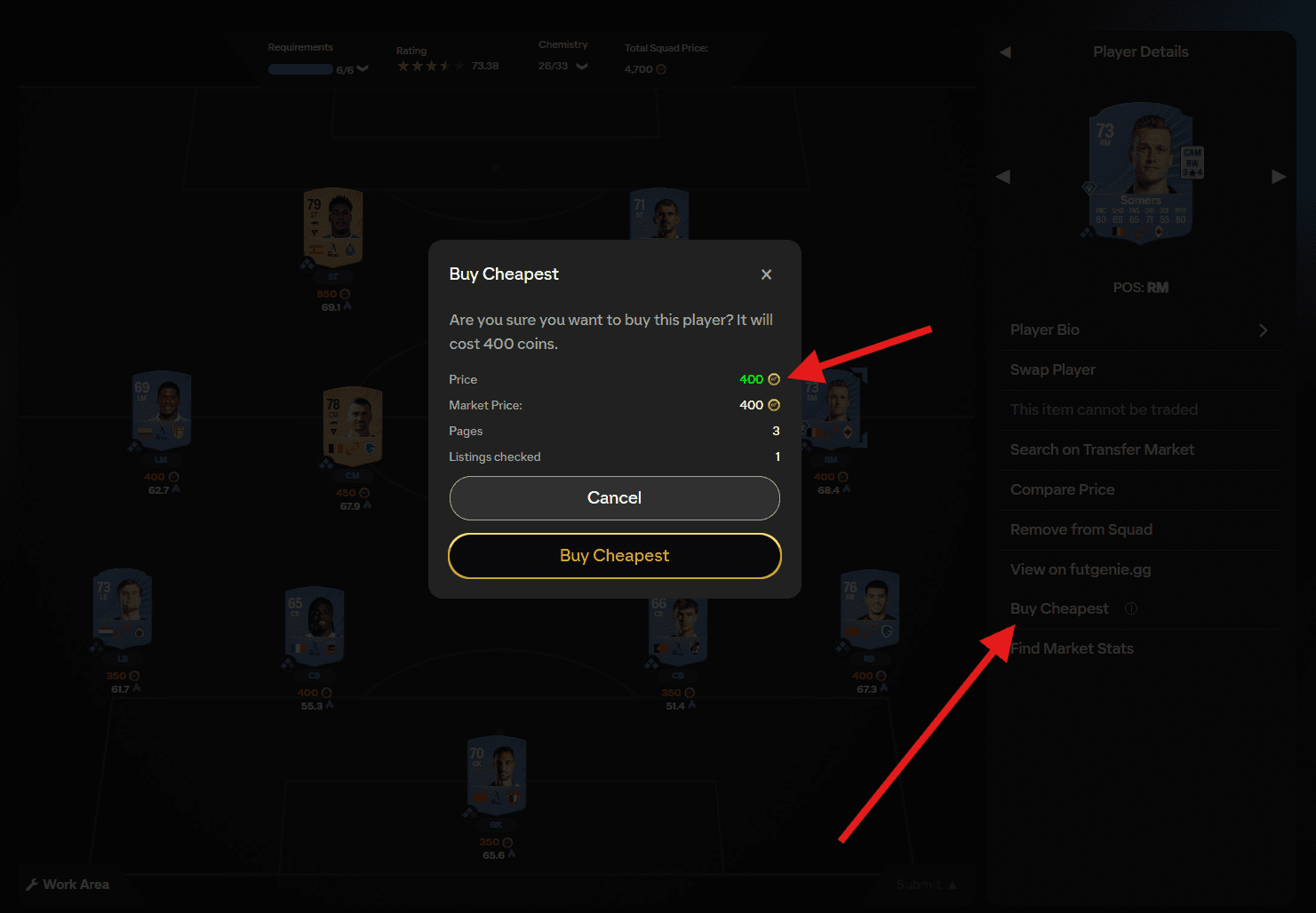
The dialog gives you Price (what the cheapest listing actually costs), Market Price (what the card is normally worth), and how many Pages and Listings checked the search covered. The price is colour-coded so you can judge it at a glance:
- Green when the listing is at or below market price. A good buy.
- Amber when it is up to 10% over market.
- Red when it is more than 10% over market, and you get an extra warning if the listing costs more than double market price.
Confirm with Buy Cheapest and FUTGenie buys that listing, reporting the final price on success.
A couple of things to know:
- Concept players only. The button can appear on players you already own, but tapping it there just shows an error saying the selected item is not a concept player. Nothing is bought.
- If you don't have enough coins, or the listing is gone by the time you confirm, you'll get a clear failure message and can try again.
Buy All Concept (whole squads)
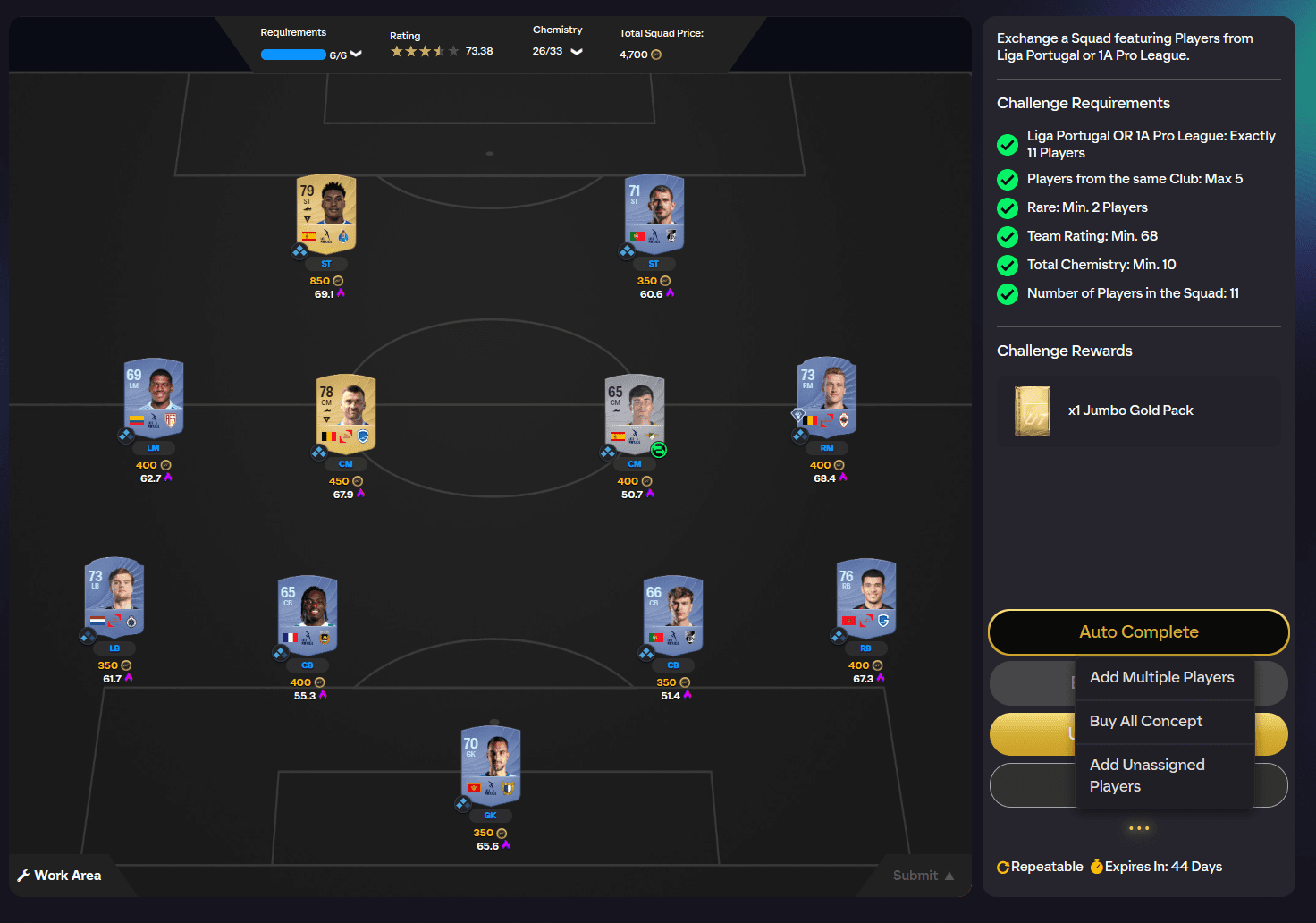
You can buy every concept player in a squad in one go. It's available from the More FUTGenie Options menu on the SBC squad screen, and as a Buy All Concept button in the FUTGenie solution previews (see Auto Complete and Solve Multiple Times).
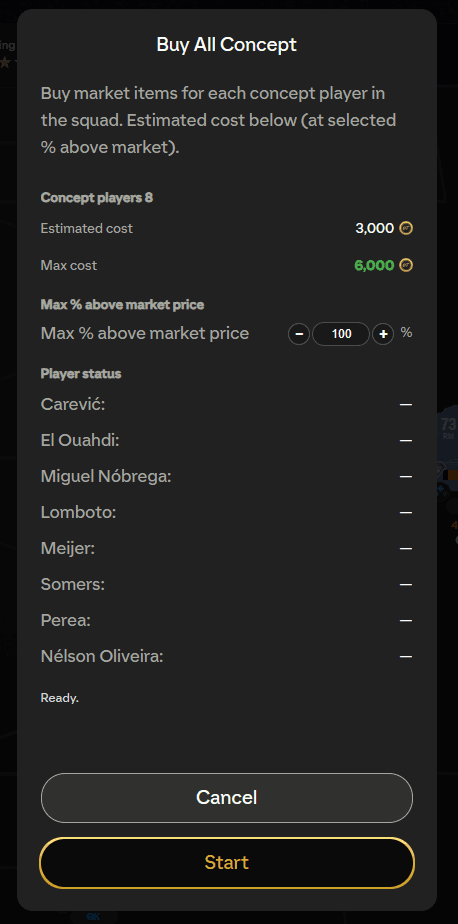
Opening it shows a modal that buys market items for each concept player in the squad, with an estimated cost at your selected percentage above market.
- Max % above market price: a stepper (in steps of 1, 5, or 10) controlling how far above a player's market price FUTGenie is allowed to go. Prices move fast, so a small buffer here means fewer skips. Your choice is remembered.
- Concept players count, Estimated cost, and Max cost readouts update as you adjust the percentage, so you know the worst case before you commit.
- Tap Start and each player's row updates live as it's processed.
Per-player statuses
During a run each concept player shows its own status:
- Buying... then Bought for X when a purchase goes through.
- Skipped: no items found when nothing is listed for that player.
- Skipped: over budget when the cheapest listing costs more than your Max % above market price allows.
- Skipped: purchase failed when EA rejects the purchase (often someone beat you to the listing).
- Occasionally a player is bought but couldn't be moved to your club automatically; you'll find it in your purchased pile.
At the end you'll see a summary of how many were bought and how many were skipped. Skipped players stay as concepts, so you can nudge the percentage up and run it again, or buy them individually with Buy Cheapest.