FC 27 Evo Builder: Plan the Best Evolution Chains
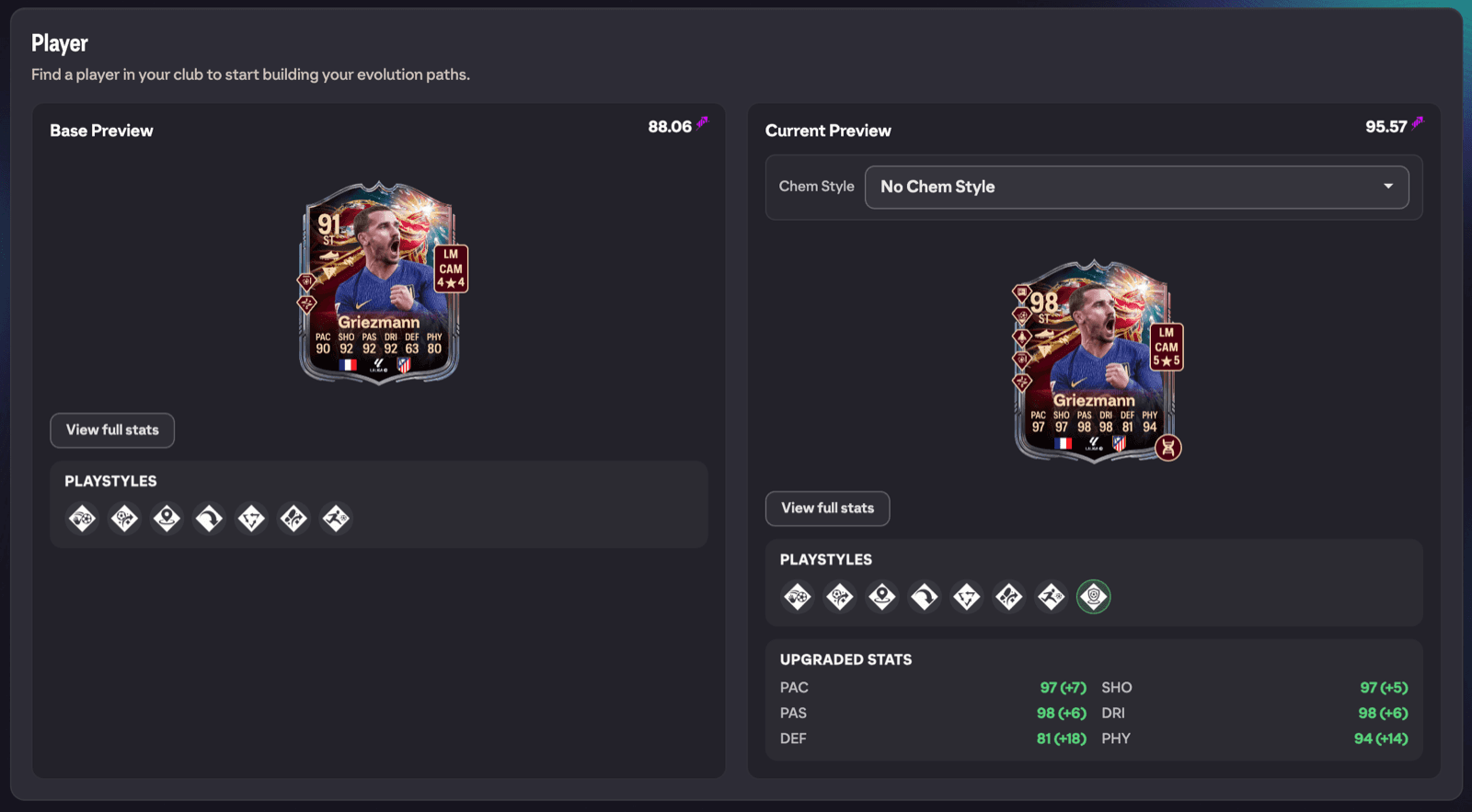
The Evo Builder is a dedicated workspace for planning evolution chains in EA FC 27. Pick a player from your club, stack evolutions into a chain, and compare the evolved card against the original before you commit anything in game. When you are happy with a chain you can save it as a path, and if the whole chain is free you can even apply it instantly.
Where to find it
There are two ways in:
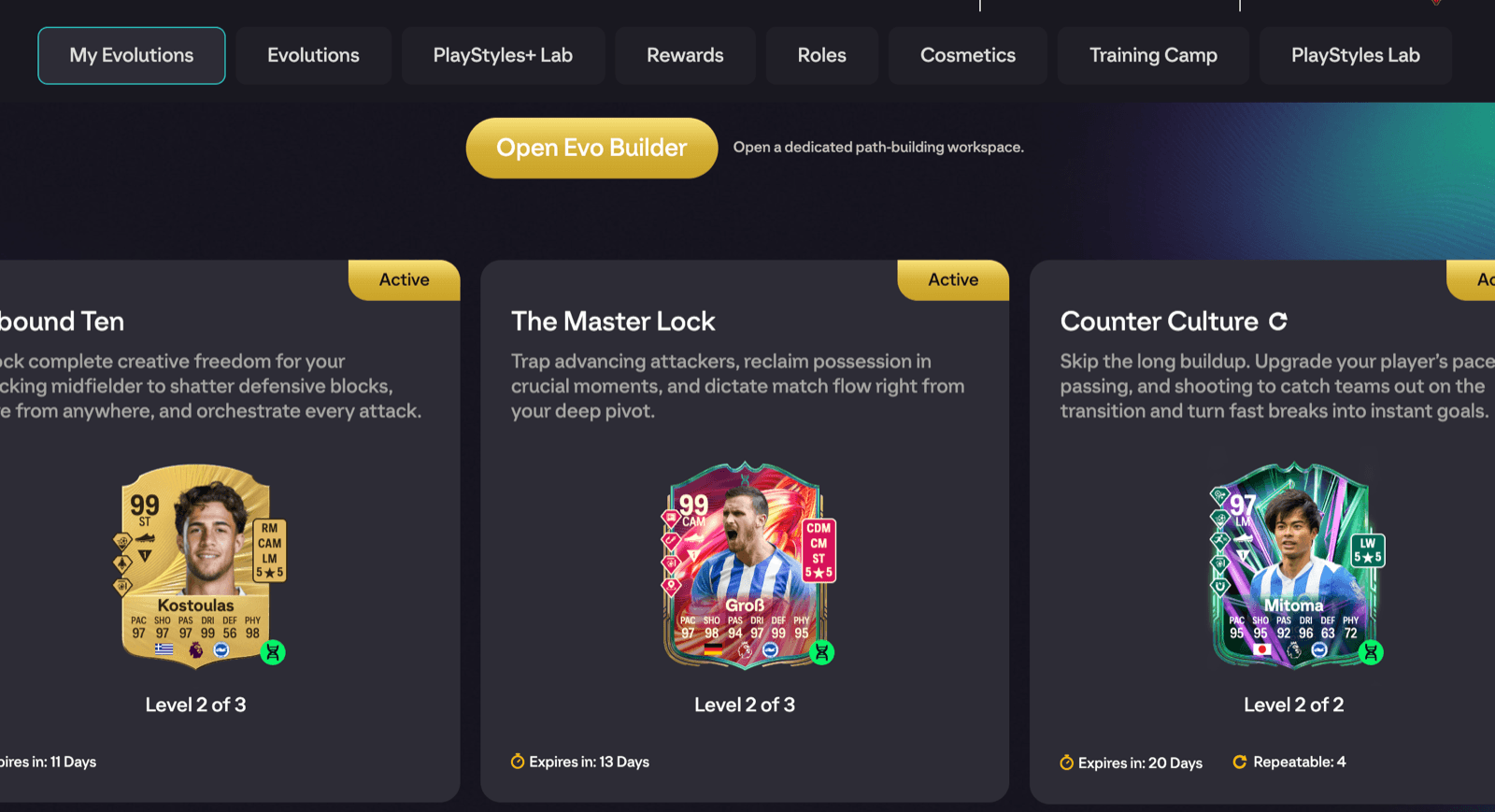
- On EA's Evolutions hub, FUTGenie adds an Open Evo Builder button just below the navigation.
- On any player's item detail panel, press Explore Evolutions to open the builder with that player already loaded.
Picking a player
Use Select Player in the toolbar to pick any player from your club. Once a player is loaded the button becomes Change Player, and Clear Player empties the builder so you can start again (clearing also unlocks the club scan described below).
The preview cards
With a player selected you get two large cards side by side: Base Preview (the player as they are now) and Current Preview (the player after every evolution currently in your chain). Each preview shows Upgraded Stats (expand with View full stats, collapse with Hide full stats), the Chem Style, Run Style, Roles and PlayStyles, and you can tuck the cards away with Hide Preview.
Both previews also show the player's Genie Grade. Genie Grade is FUTGenie's own rating of how good a card plays in FC 27, on a scale like a card's own rating (the very best cards sit in the low 90s) at a position, from its detailed stats, PlayStyles, skill moves and weak foot, so the same card grades differently as a striker than as a winger. Comparing the grade on Base Preview against Current Preview is the quickest way to see whether a chain is actually worth doing.
Building a chain manually
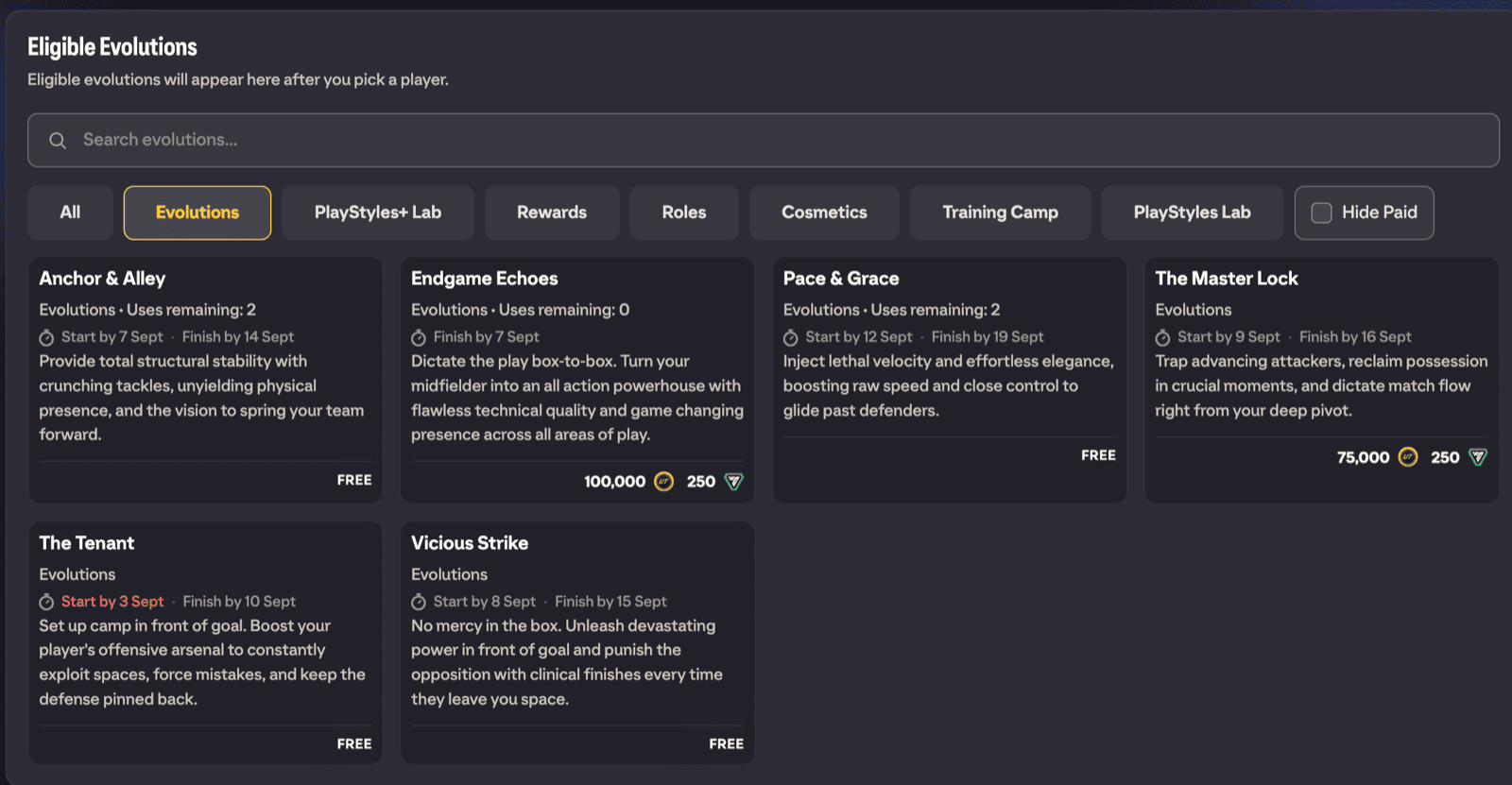
The Eligible Evolutions section lists every evolution your current preview player qualifies for. To find what you want:
- Type in the Search evolutions... box.
- Switch between the category tabs. All shows everything, and the other tabs follow the evolution categories in the game (such as Evolutions, Rewards, Roles, Cosmetics and Training Camp).
- Turn on Hide Paid to hide evolutions that cost coins or FUT Points.
Each card shows the cost (Free, a coin amount, a FUT Points amount, or both), how many times it can be used (Unlimited repeats or Uses remaining), and its timing (Start by, Finish by and when it ends). Tap a card to add it to the chain; cards that no longer apply to the evolved player are marked as not eligible, including when the mismatch is positional.
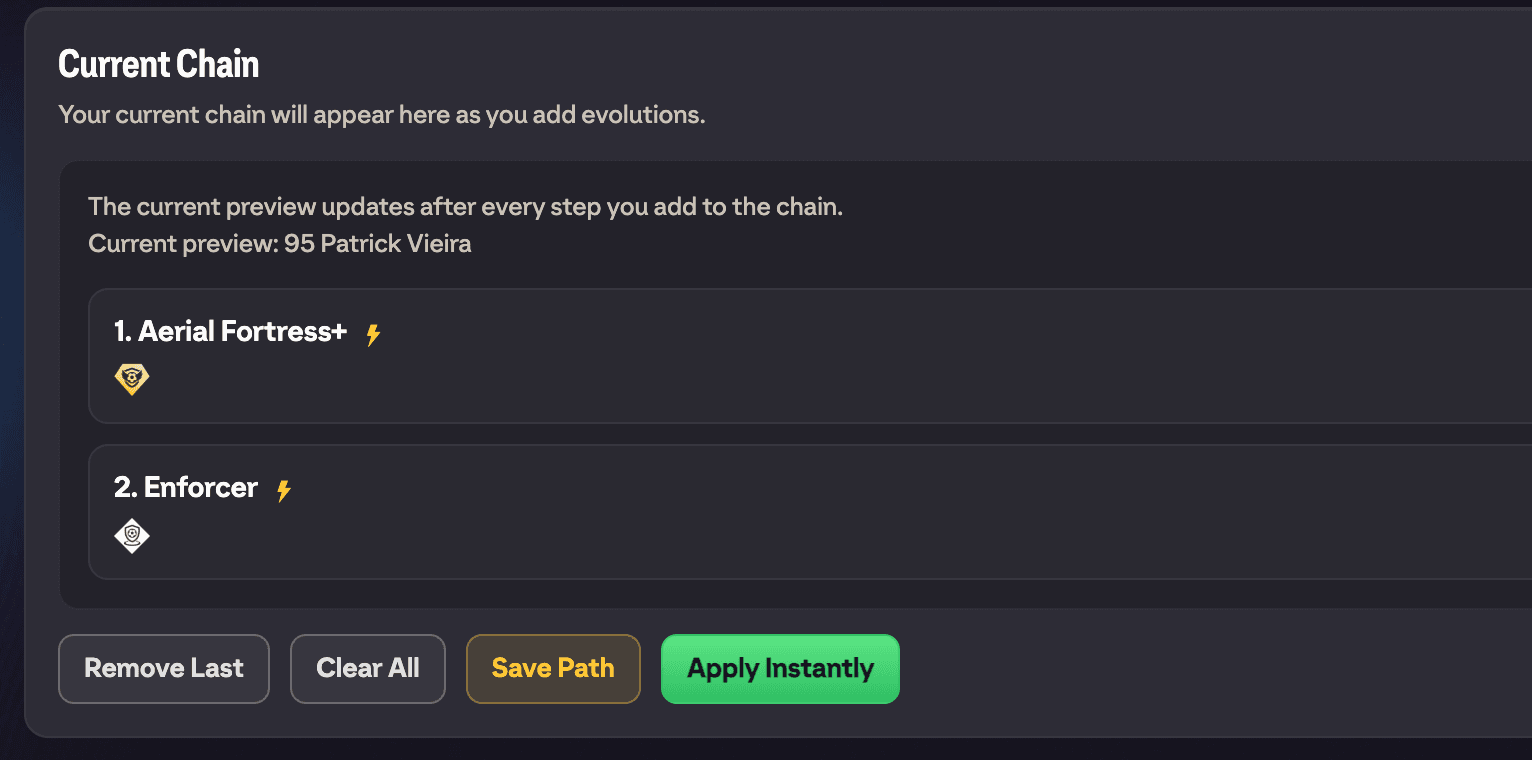
Everything you add appears in the Current Chain section, and the Current Preview updates after every step. The chain controls are:
- Remove Last takes off the most recent step.
- Clear All empties the chain.
- Save Path stores the chain for later (see Saved Paths below).
Suggested Paths
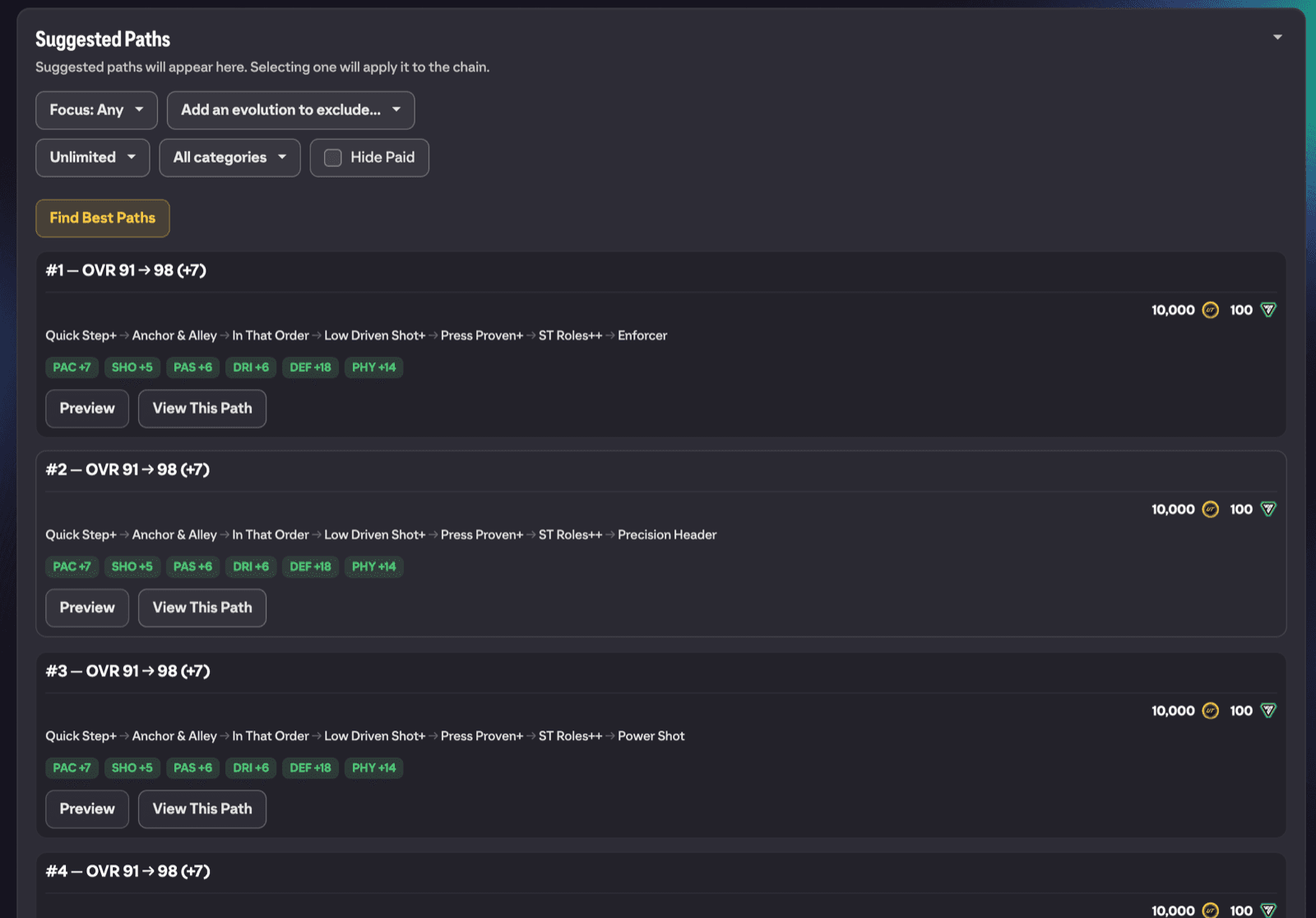
If you would rather not build by hand, open the Suggested Paths section and let FUTGenie search for the best chains. Before you run it you can tune:
- How long a path may get, via the dropdown that starts on Unlimited. The other choices are Max 5 evos, Max 10 evos and Max 15 evos.
- The category multi-select, from All categories down to specific ones (Select all and No categories shortcuts included).
- Hide Paid, a separate checkbox that keeps paid evolutions out of the search.
- Focus position, which appears when the player has more than one position. Focus: Any is the default; pick a position to optimise the chain for that spot.
- Exclude from paths: use the Add an evolution to exclude... picker to blacklist evolutions you never want suggested. Each exclusion shows as a chip with a Remove button.
Press Find Best Paths and the builder works through the combinations, showing its depth progress as it goes. You can bail out at any time with Stop & keep best so far and keep the best results found up to that point.
Each result row shows the path's steps, the stat gains it produces and its total cost. Preview expands an After This Path card so you can see the finished player, and View This Path loads the whole path into your current chain, ready to save or apply.
Finding the best player for an evolution
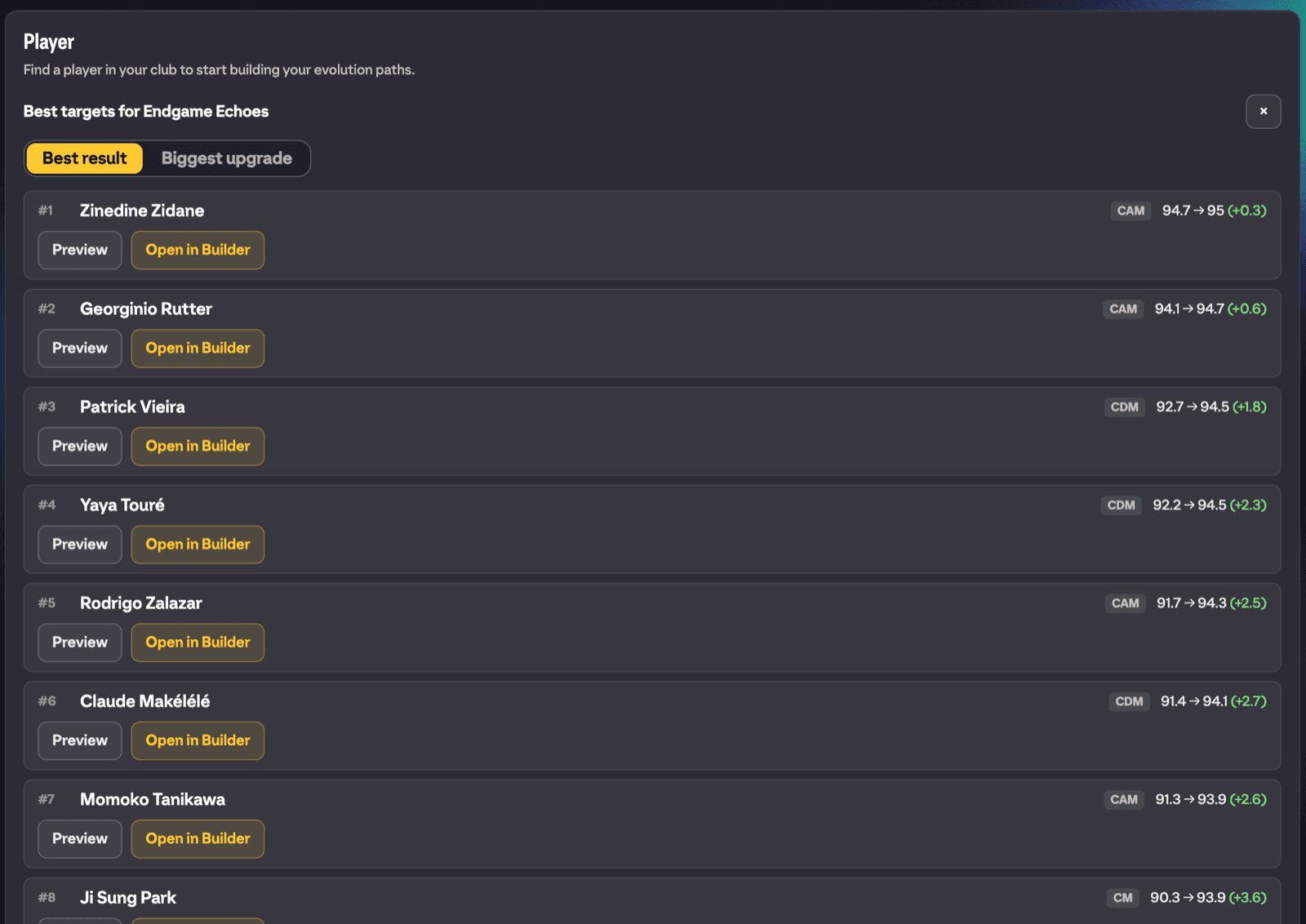
You can also work the other way round. With no player selected, tap any evolution card and FUTGenie scans your entire club for the best players to put through that evolution. You will see progress as it scans (with a Cancel button), then a Best targets list ranked by Biggest upgrade or Best result. Each row shows an After This Evo preview and an Open in Builder button that loads that player into the builder with the evolution ready to go.
For a squad-wide version of this idea, see Get Suggested Evolutions.
Apply Instantly
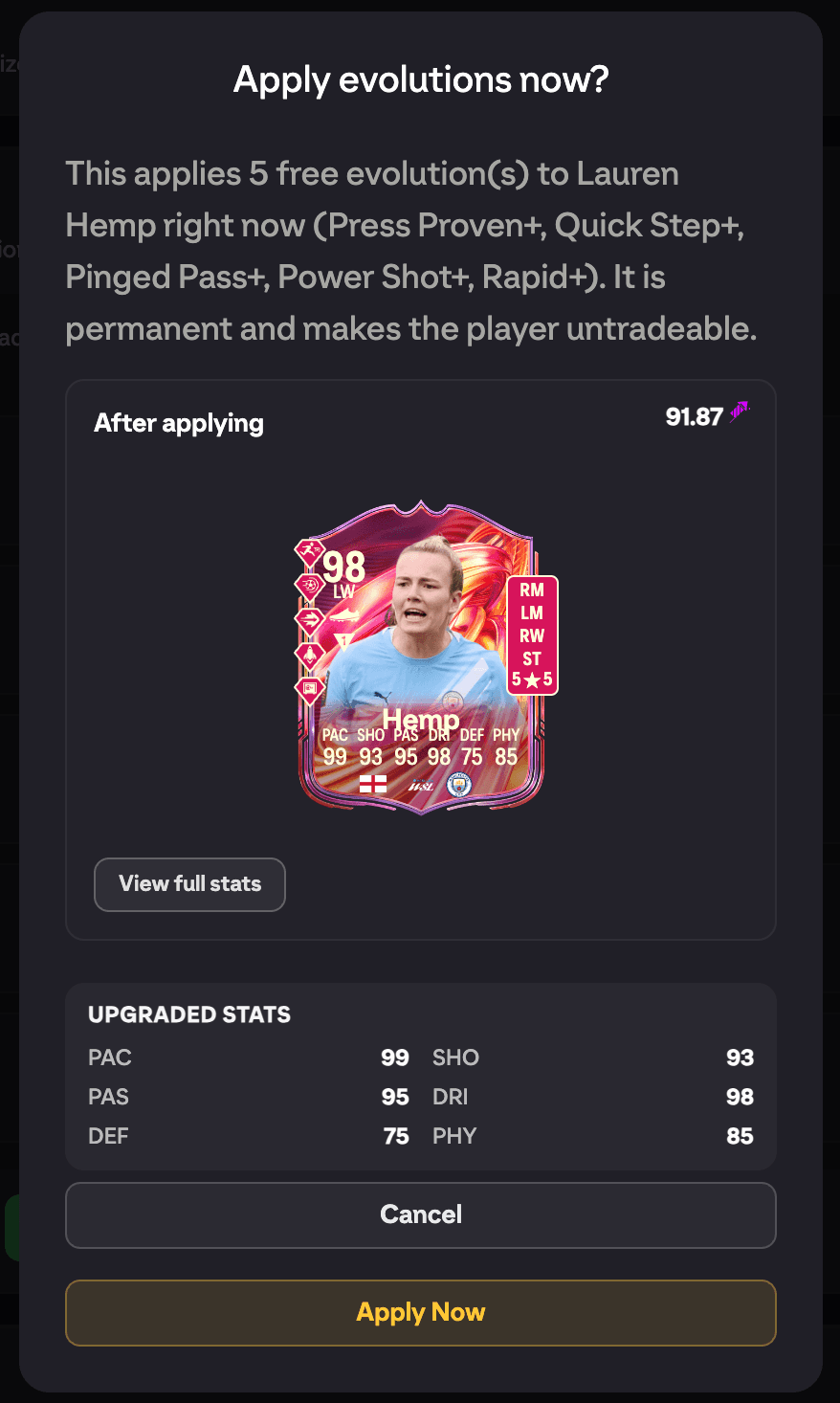
When every step in your current chain is free and requires no objectives, a green Apply Instantly button appears. It applies the whole chain to your player right now, without you playing anything.
A confirm dialog (Apply evolutions now?) spells out exactly what will happen: the evolutions are applied immediately, the change is permanent, and the player becomes untradeable. Press Apply Now to go ahead. You will see progress as each evolution is applied, and a confirmation message when the chain is done.
If any step in the chain costs coins or FUT Points, or needs objectives, the button does not appear and you complete the chain through EA's normal evolution flow instead.
Saved Paths
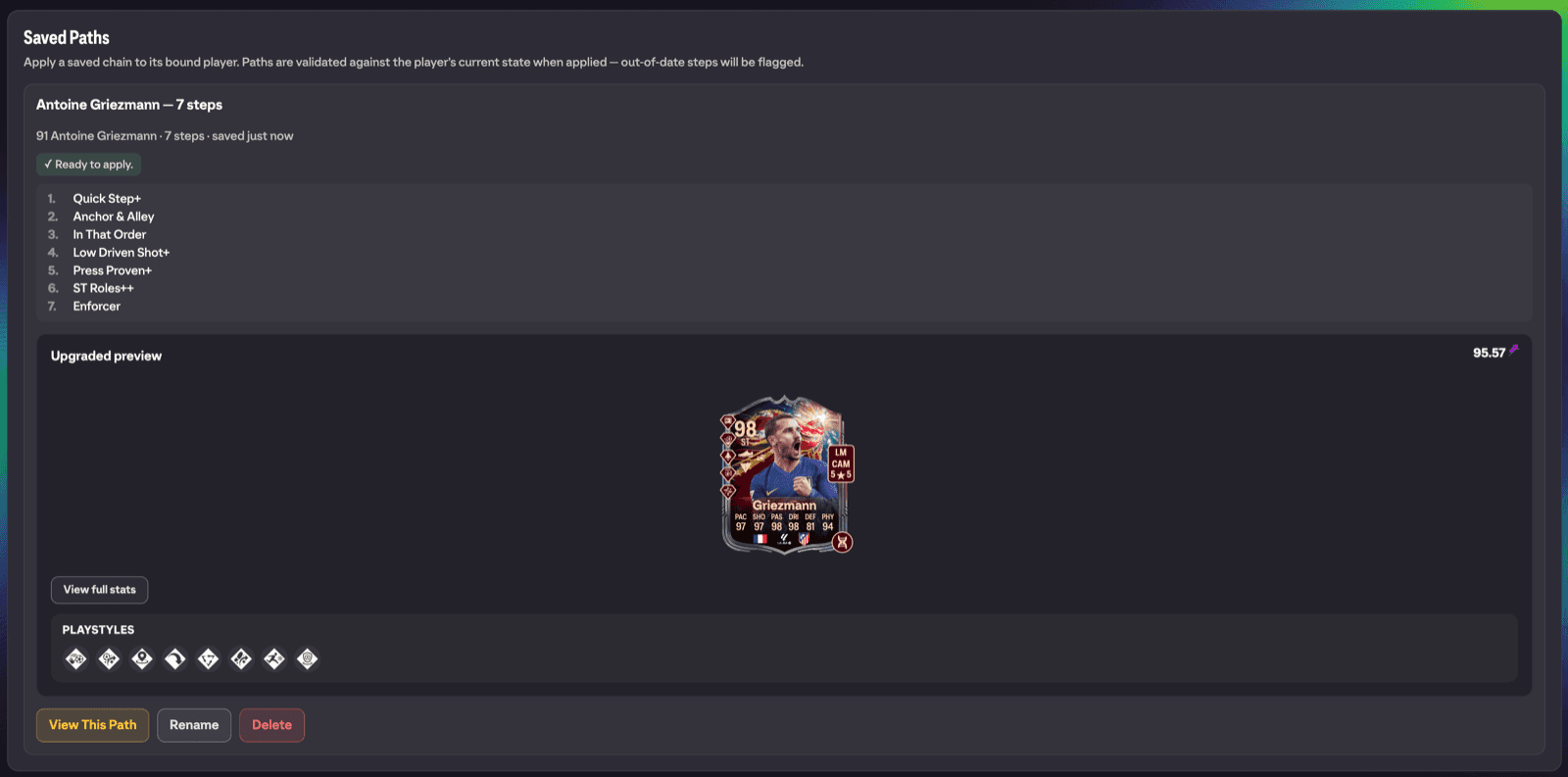
Press Save Path to store a chain against its player, then open Saved Paths from the toolbar to manage them. Each saved path can be previewed (Preview, with an upgraded preview of the end result), renamed (Rename) or deleted (Delete, which cannot be undone).
Saved paths are validated against the player's current state whenever you come back to apply one, so each row carries a status:
- Ready to apply.
- Partially applied, with the remaining steps counted so you can finish the chain.
- All steps already applied, nothing left to do.
- A step no longer applies because the player has drifted past its requirements.
- The path stops early at a step, with only some of the remaining steps still valid.
- The player is not in your club, so the path cannot be applied.
- The player is currently enrolled in an evolution; claim it first, then come back.
- Evolutions that have been removed from the game are marked as retired.
Limits and gotchas
- The builder only works with players you own; it plans club-only chains. You cannot save paths for concept or preview players, so acquire the player first.
- Apply Instantly only shows for chains that are entirely free and instant, and it is permanent: the player becomes untradeable.
- Unlimited path length actually searches up to 20 evolutions deep, which is deeper than any realistic chain.
- Old saved paths made before progress tracking existed need re-saving to enable step detection.