Complete Daily SBCs in One Click with Quick Complete
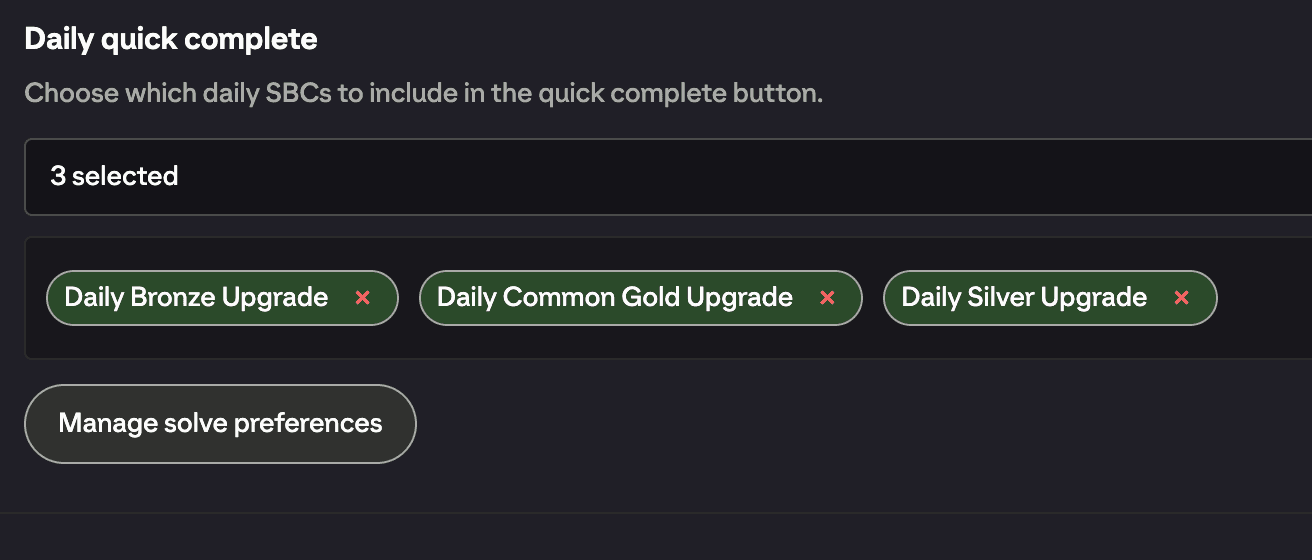
Quick complete solves and submits all of your chosen EA FC 27 daily SBCs with a single tap from the SBC hub. Pick the SBCs once in Settings, set your solve preferences, and then it's one button every day.
Where to find it
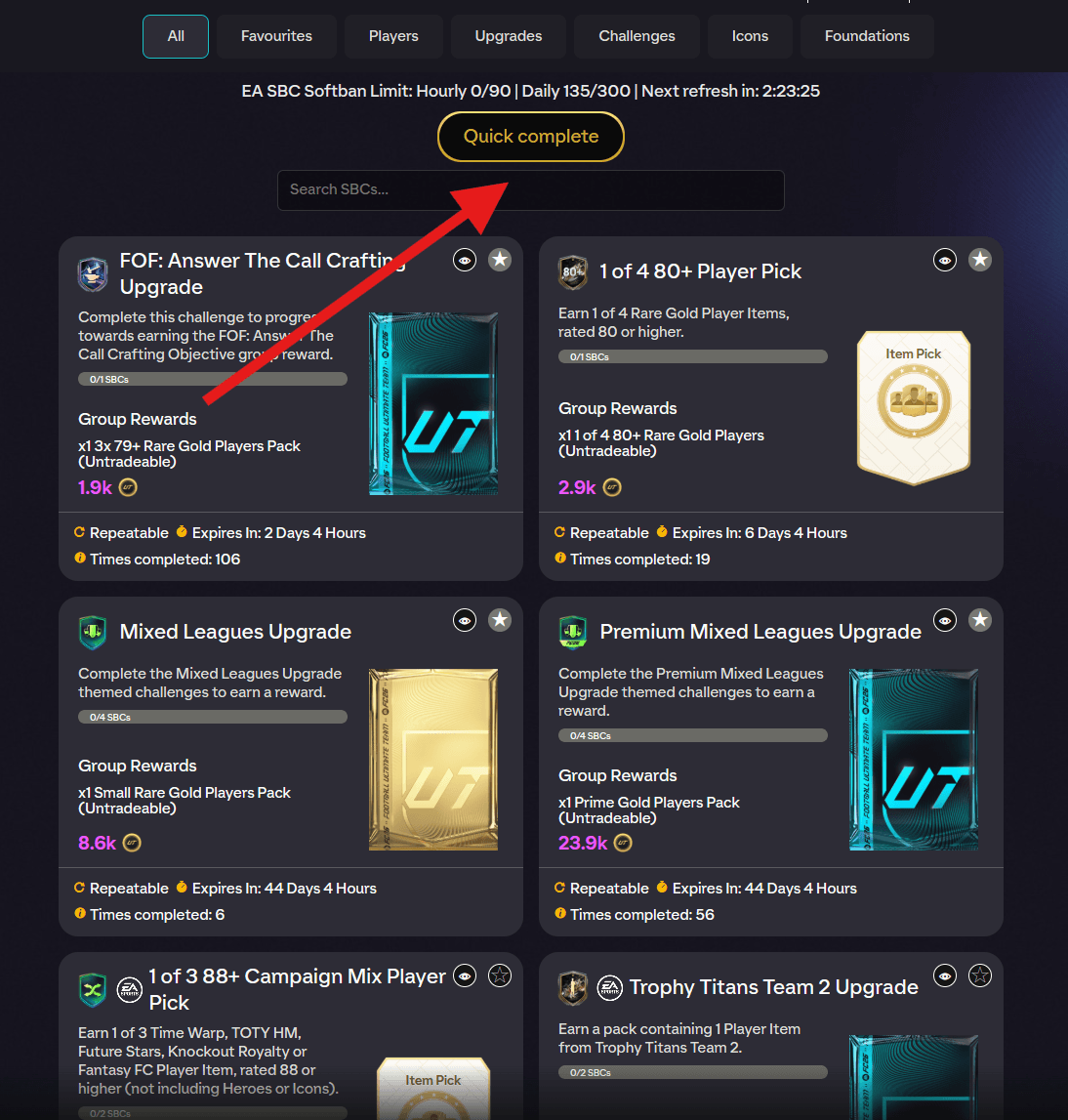
The Quick complete button sits on the SBC hub (the screen listing all SBC sets), centred just beneath the softban tracker.
Set it up first
Quick Complete only runs the daily SBCs you've selected, so head to FUTGenie Settings and find the Daily quick complete section.
- Select SBCs: opens a picker of eligible daily SBCs with a search box. Tick the ones you want; the setting shows how many you've selected.
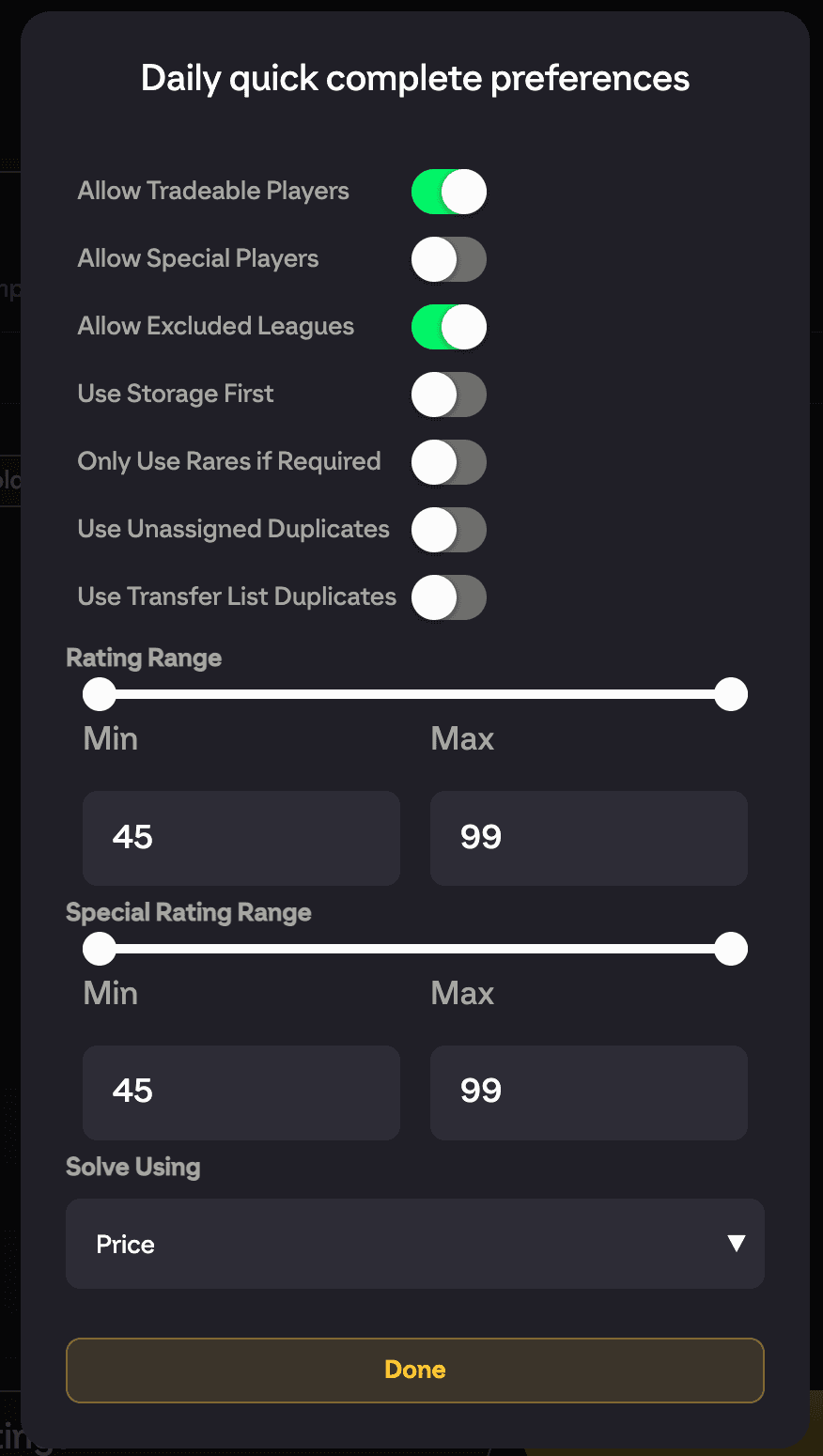
- Manage solve preferences: opens the Daily quick complete preferences modal, where you control how these SBCs get solved.
Solve preferences explained
The preferences modal has its own copy of the solver options, separate from your Auto Complete settings:
- Allow Tradeable Players: lets the solver use tradeable players (ON by default).
- Allow Special Players: lets the solver use non-gold-rare cards (OFF by default).
- Allow Excluded Leagues: overrides your Excluded Leagues setting for these solves (OFF by default).
- Use Storage First: prefers club storage before the main club (OFF by default).
- Use Minimum Rares: only spends rares when forced to (OFF by default).
- Use Unassigned Duplicates and Use Transfer List Duplicates: let duplicates in those piles be used as fodder (both OFF by default).
- Rating Range and Special Rating Range: sliders from 45 to 99, defaulting to the full range.
- Solve Using: Price (default) or Rating.
Running it
Go to the SBC hub and tap Quick complete. FUTGenie solves and submits each selected daily set in turn, showing which SBC it's working on, and pauses briefly between completions to let EA settle.
Each completion consumes one of your free daily SBC solves. If you run out mid-run, Quick Complete stops and you'll see the upgrade prompt.
Good to know
- Quick Complete never uses concept players. Every solution comes entirely from what you own, and its previews have no swap column. If you want concept-based solving, use Auto Complete or Auto Complete Set instead.
- Your selected SBCs only include daily SBCs that are currently live, so re-check Select SBCs when new dailies release.
- The softban tracker above the button helps you make sure a big daily run doesn't push you into EA's submission limits (see SBC hub tools).