View Any Player's Prices and Stats on FUTGenie
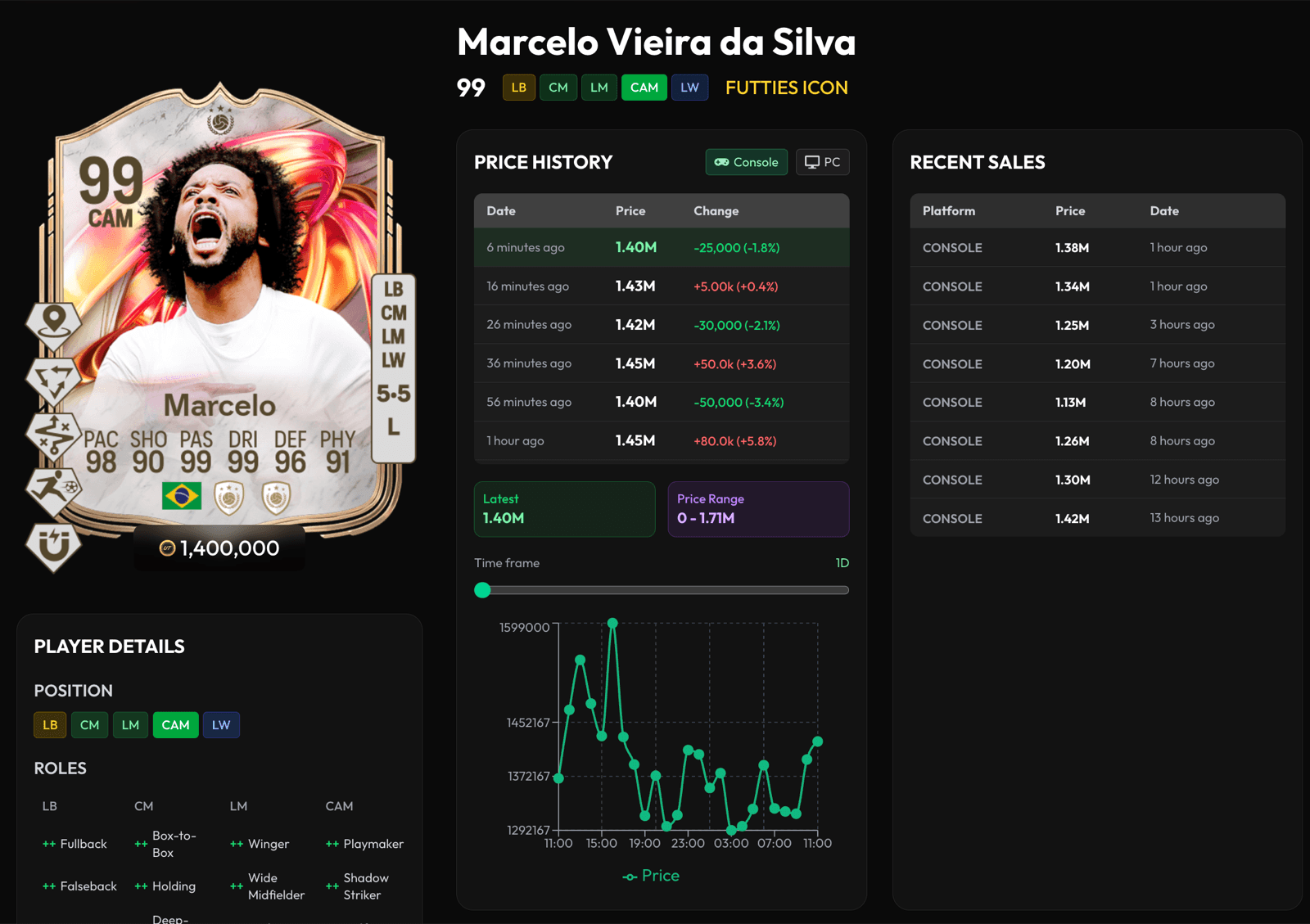
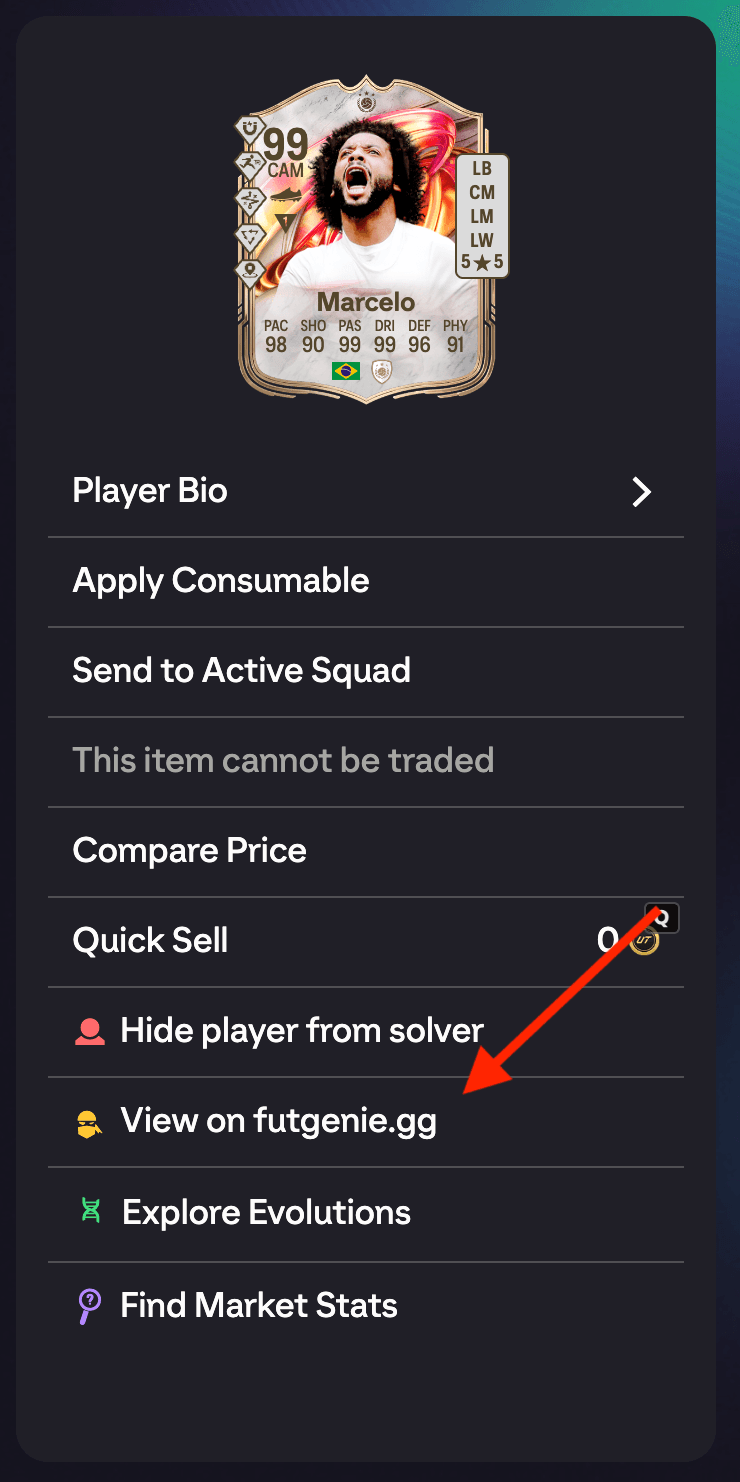
The EA FC 27 web app tells you very little about a card beyond its face stats. View on futgenie.gg opens the selected player's full page on our site in a new tab, with price history, recent sales and the details EA leaves out.
Where to find it
Tap any player card to open its detail panel, then tap View on futgenie.gg. It works on any player with a valid item, so club cards, transfer market listings, SBC squad slots and concept players are all fine.
What you get
The player page opens in a new tab, so your web app session is untouched.
- Price history, as a table of recent price points with the change between each one, and a chart underneath. Use the Console and PC buttons to switch platform, and the Time frame slider to zoom from the last day out to a longer window.
- Latest price and the Price Range the card has traded in.
- Recent sales, a list of actual completed sales with the platform, price and how long ago each one happened. This is the fastest way to tell whether a listed price is realistic or someone chancing it.
- Player details, including every position the card can play, its roles at each position, and its full stat breakdown.
When to use it
Reach for this when you are deciding whether to buy, sell or hold. A card that looks cheap in the web app might be sitting at the top of its recent range, and the sales list will tell you straight away. For checking what is actually on the market right now instead of what it has sold for, use Find Market Stats.