Sticker Book: Track Every FC 26 Player You Pack
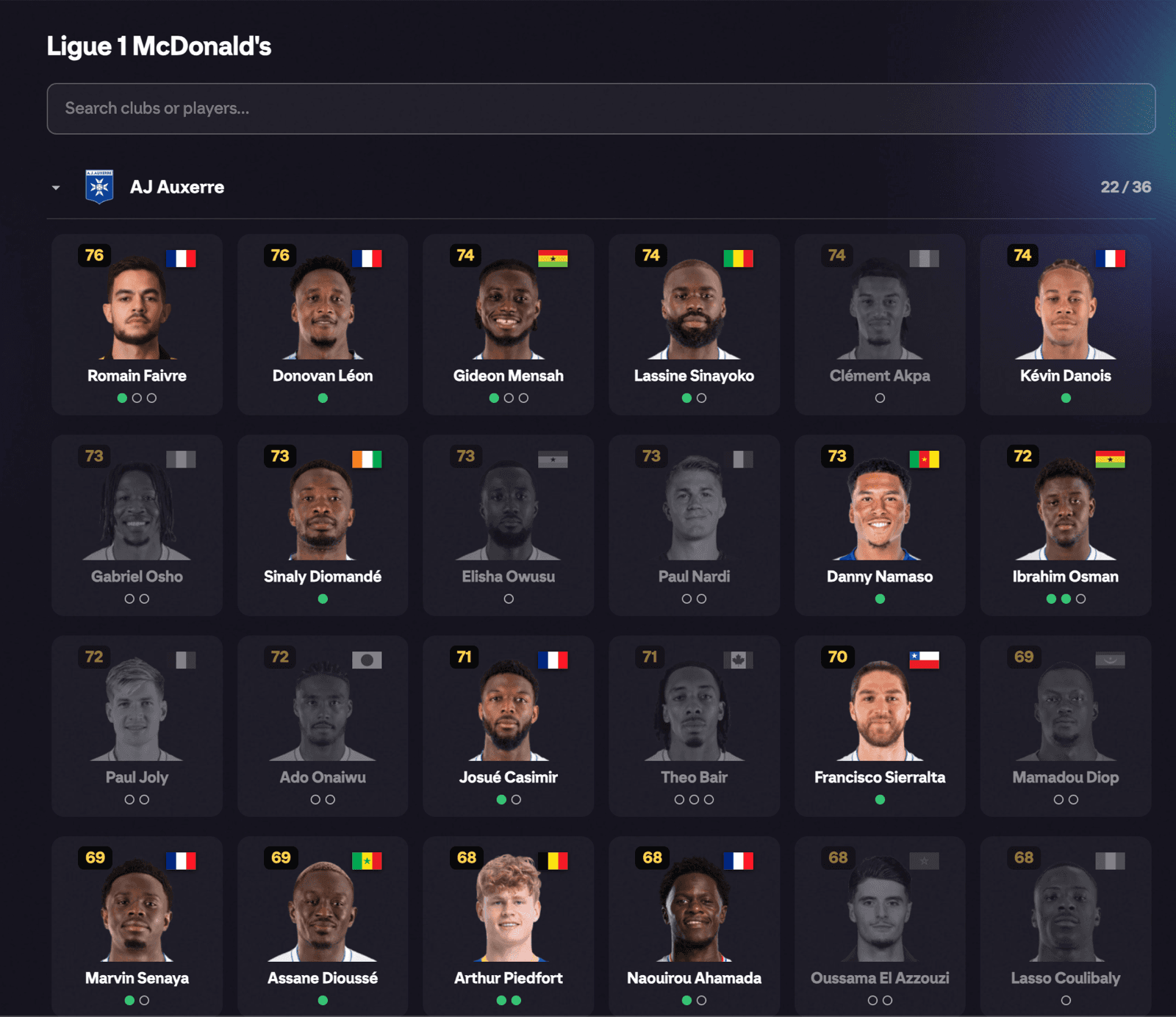
The Sticker Book is FUTGenie's collectible album for EA FC 26 Ultimate Team: every player and card version you pull gets a sticker, and the ones you haven't found yet stay waiting. It turns pack opening into a completion hunt that lasts the whole game cycle.
Where to find it
Sticker Book gets its own top-level tab in the EA web app's tab bar, right after the FUTGenie tab.
Sticker Book is a premium feature. On the free tier the tab opens an upgrade screen with an Upgrade now button instead of the album.
On your first visit a short intro video plays. Press Skip if you'd rather get straight in.
Browsing the album
The book is organised along four axis tabs at the top:
- Leagues (the default): chapters per league, players grouped by club.
- Nations: chapters per nation.
- Specials: chapters per special card version, so you can chase a full TOTW page or promo set.
- Players: search-first browsing. Type a player name to see their page directly.
Pick an axis, browse its chapters, tap a chapter to see the grid of players you've collected, then tap a player to open their page. A summary line keeps score of how many players you've collected.
Each axis has its own search box (for example Search leagues…, Search nations…, Search rarities…, Search players…) so you can jump straight to a chapter or player.
Player pages and versions
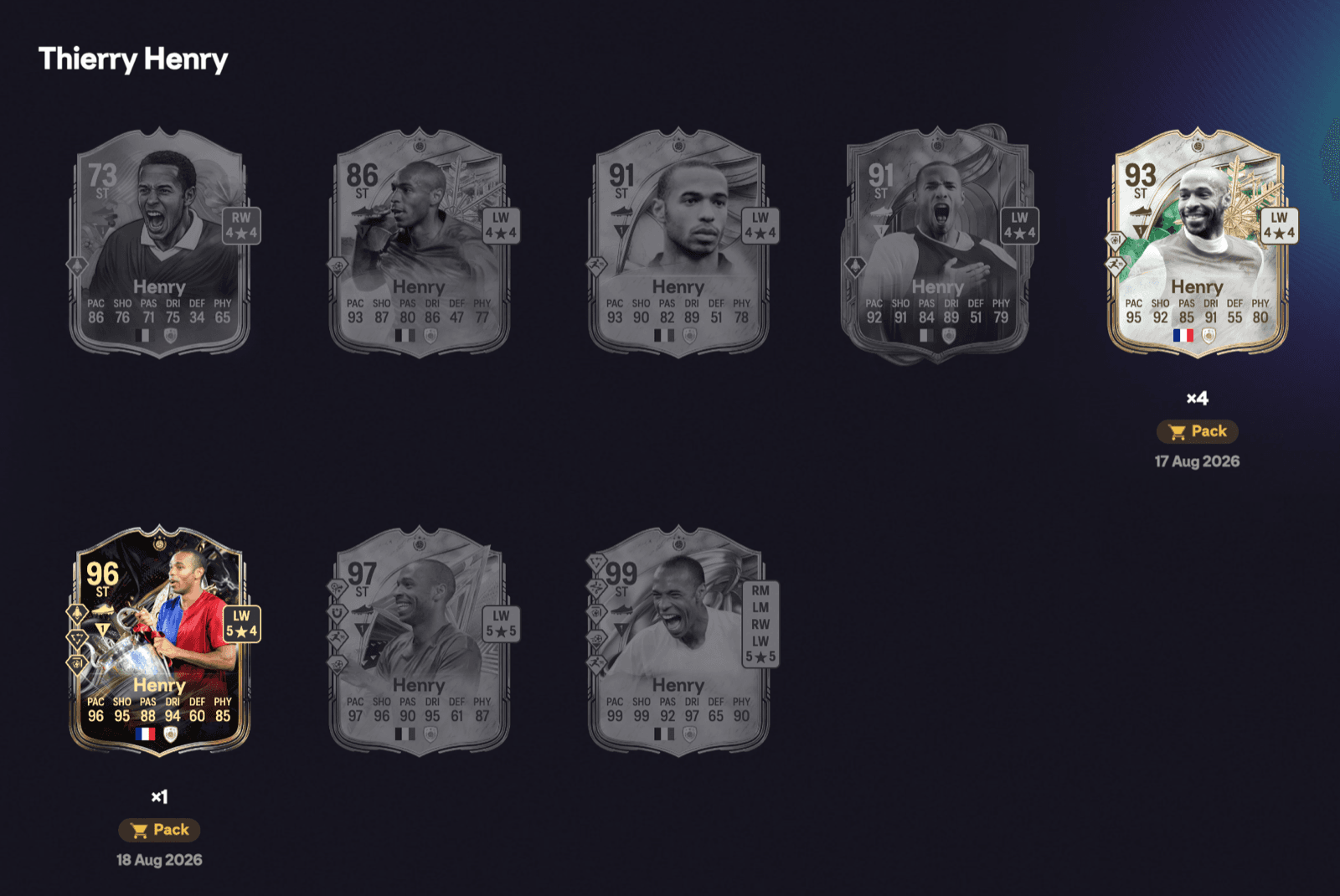
A player's page lists their Versions: every card version of that player you've obtained. Each version shows First obtained with the date, plus an origin badge telling you where it came from: Pack, SBC, Objective or Player Pick.
How collection works
You don't fill the book in manually. Players are recorded automatically when you pack or earn them while FUTGenie is active in the web app, whether that's a pack, an SBC reward, an objective or a player pick.
On top of that, a periodic club scan backfills players already sitting in your club, so cards you pulled on console or the mobile app still make it into the book. The scan runs at most once every 10 minutes per session, so a fresh console pull can take a little while (and a web app visit) to appear.
Good to know
- The book only knows about what FUTGenie has seen. Cards you pulled before installing, and then quick-sold before a club scan could spot them, won't be in it.
- Origin badges reflect where FUTGenie observed the card first. A console pull backfilled by the club scan won't carry a pack badge.
- Chapters can look sparse early in a promo: No chapters available yet just means nothing from that grouping has been released or collected yet.