Mass Bid on the FC 27 Transfer Market with Filters
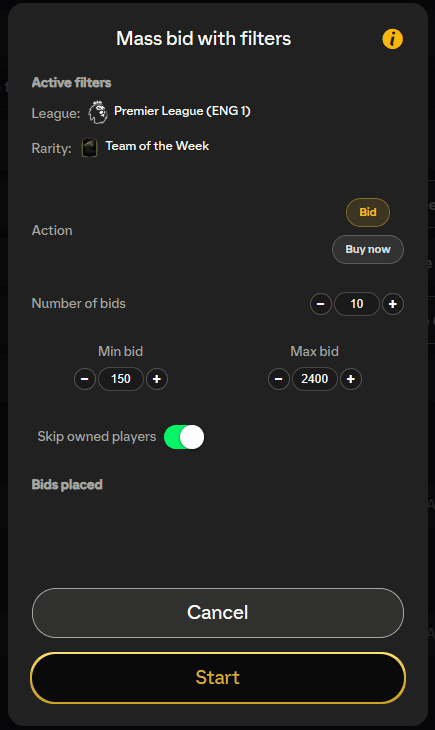
Mass bid with filters searches the EA FC 27 transfer market using whatever filters you have set, then places bids (or buys) across the results automatically. Set your filters once, tell it how many bids to place and what you're willing to pay, and let it run.
Where to find it
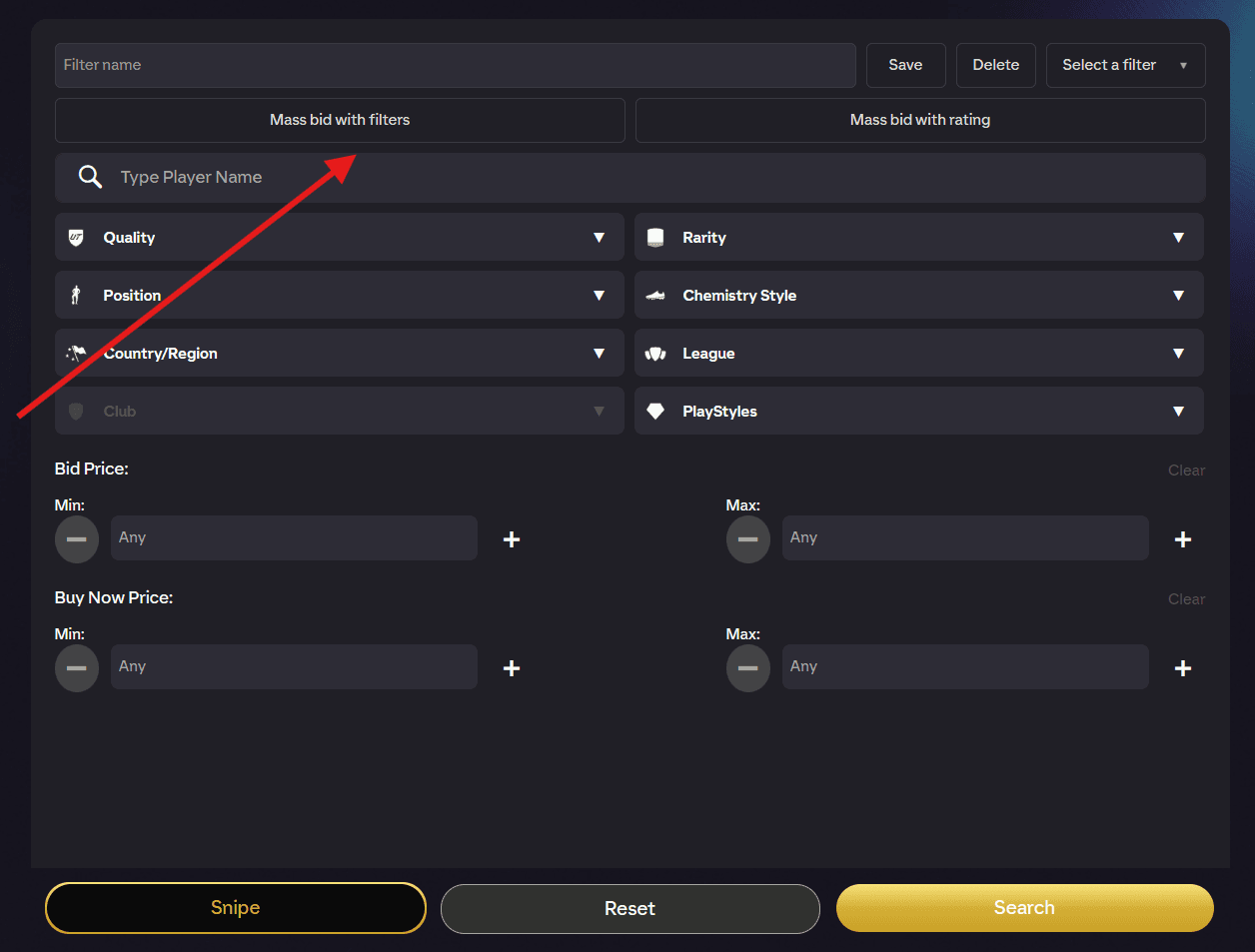
Open the transfer market and set up your search filters as you normally would (league, nation, rarity, price range and so on). The Mass bid with filters button sits in the FUTGenie toolbar below the tab menu.
The first time you use a transfer market feature, FUTGenie shows a one-time warning: "Using transfer market features may put your account at risk". Automated bidding is against EA's rules, so use it at your own discretion. Tap Continue to carry on (you can tick Do not show this message again).
Options
Clicking the button opens a panel with your options. At the top is an Active filters readout (Type, League, Nation, Club, Position, Rarity, Level, Player) so you can double-check exactly what will be searched before you start. If you haven't set anything, it says No active filters, which is your cue to go back and set some.
- Action (Bid / Buy now tabs). Bid places bids on auctions, Buy now buys listings outright. The tabs lock while a run is in progress.
- Number of bids. How many bids or purchases to attempt, from 1 to 50 (default 10).
- Min bid. Skip anything currently below this price. Default 0 (off).
- Max bid. The most you'll pay per player. Default 5,000. In Bid mode this caps your bid; in Buy now mode it caps the Buy Now price.
- Min time left / Max time left. Only touch auctions inside this time window. Enter a number and pick its unit with the Sec / Min / Hrs buttons underneath. Leave at 0 to turn the limit off. Handy for bidding only on auctions about to end.
- Skip owned players. Any player already in your club is left alone.
All of these settings persist between sessions, so your setup is remembered next time.
Hit Start to begin, or Cancel to close the panel.
Watching it run
The panel turns into a live results view showing Bids placed or Items bought counts, with a status line (Fetching players..., Bidding..., Buying..., then Done.).
Each item it passes over gets a reason. Failures are things like the auction expiring mid-bid, being outbid, the price changing under you, or a rate limit. Skips are the tool deliberately leaving an item alone, in plain English:
- Already in your club, or you already bid on it (already attempted, already highest, already in club).
- Outside your price rules (over max bid, under min bid, no buy-now price, no listings under cap).
- Outside your time window (too much time left, too little time left, or the time couldn't be read).
- The listing expired before it got there.
When it stops early
The run halts on its own if EA pushes back:
- Too many bids, wait before trying again or Too many purchases, wait before trying again. EA's rate limit kicked in. Take a break before running again.
- Watchlist full. Bids go to your watchlist, so clear it out first.
- No search criteria or No results. Your filters matched nothing, adjust them and retry.
If you'd rather target every player at a specific rating instead of using filters, see Mass bid with rating.